
Introduction :
Best Free WordPress Themes are the perfect choice for anyone who wants to build a professional website without spending money. Whether you’re creating a personal blog, a business website, an online portfolio, or an eCommerce store, choosing the right WordPress theme is one of the most important decisions you’ll make. A good theme not only improves your website’s appearance but also affects its speed, SEO, mobile responsiveness, and overall user experience.
The good news is that you don’t need to purchase a premium theme to create a beautiful and high-performing website. Many free WordPress themes offer clean designs, fast loading speeds, regular updates, and excellent customization options. The key is knowing which themes are reliable and worth using.
In this guide, you’ll discover the **Best Free WordPress Themes** for different types of websites, compare their features, and learn how to choose the right one based on your needs. Whether you’re a beginner launching your first website or an experienced user looking for a better design, this article will help you find a theme that is fast, SEO-friendly, easy to customize, and built for long-term success.
1.What is a WordPress Theme?
Before choosing the best free WordPress theme, it is important to understand what a WordPress theme actually is. A WordPress theme is a collection of design files and templates that controls the look of your website. It determines how your pages, blog posts, menus, colors, fonts, headers, and other visual elements appear to visitors.
Think of a WordPress theme as the overall design of your website. While WordPress allows you to create and manage content, the theme controls how that content looks. By changing the theme, you can completely alter your website’s appearance without losing your posts, pages, or other content.
A major advantage of WordPress is the availability of thousands of free and premium themes for various types of websites. Whether you are building a personal blog, a business website, a portfolio, an online store, or a news site, you can find the best free WordPress theme to suit your needs and style.
If you are just starting out and haven’t built your website yet, I recommend reading our comprehensive guide on how to start a WordPress blog. It covers everything from choosing a domain name and hosting to installing WordPress and publishing your first blog post.
👉 New to WordPress?
If you are new to WordPress, choosing a reliable hosting provider with one-click WordPress installation, free SSL, and fast performance will make the setup process much easier. After that, simply follow our How to Install WordPress Step by Step guide to install WordPress and get your website online in just a few simple steps.
Once your website is ready, choosing one of the best free WordPress themes will help you create a professional-looking, fast, mobile-friendly, and SEO-optimized website without spending money on premium designs.
2.Why Choosing the Right WordPress Theme Matters
Choosing one of the Best Free WordPress Themes is about much more than making your website look attractive. Your theme plays a major role in your site’s speed, search engine rankings, mobile responsiveness, security, and overall user experience. Even if you publish high-quality content, a poorly coded or outdated theme can negatively affect your website’s performance and make visitors leave sooner.
A fast and lightweight theme helps your pages load quickly, which improves both user satisfaction and SEO. Since most people browse websites on their smartphones, it’s also important to choose a responsive theme that automatically adjusts to different screen sizes. The Best Free WordPress Themes are designed to provide a smooth experience across desktops, tablets, and mobile devices without requiring extra customization.
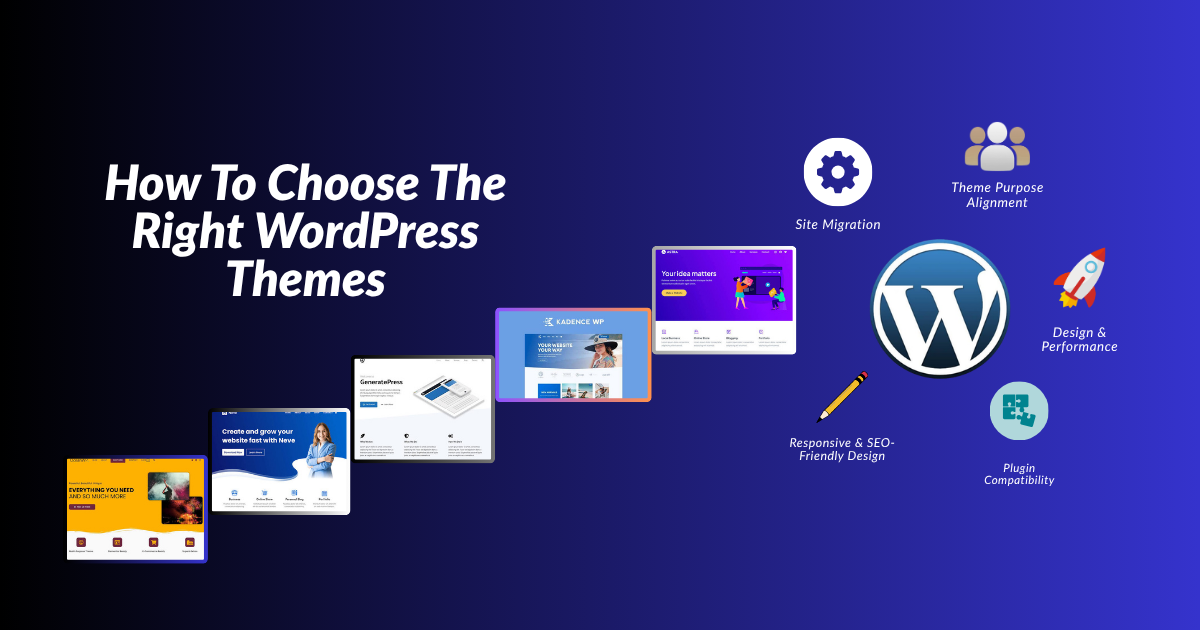
Another advantage of selecting the right theme is flexibility. Many free themes include customization options that allow you to change colors, fonts, layouts, headers, and menus without writing a single line of code. This makes it much easier for beginners to build a professional-looking website that reflects their brand or personal style.
If you’re creating your first website, make sure you build it on a solid foundation. Our How to Start a WordPress Blog guide explains how to choose a niche, register a domain name, purchase hosting, and prepare your website before selecting a theme. If WordPress isn’t installed yet, you can also follow our detailed How to Install WordPress Step by Step tutorial to complete the installation process with confidence.
💡 Beginner Tip:
Choosing reliable hosting before selecting one of the Best Free WordPress Themes can significantly improve your website’s speed, security, and overall performance from day one.
By choosing one of the Best Free WordPress Themes, you’ll create a website that not only looks professional but also loads faster, performs better in search engines, and provides a better experience for every visitor. Investing a little time in selecting the right theme today can save you many hours of redesigning your website in the future.
3.Top 10 Best Free WordPress Themes
Choosing the best free WordPress themes can save you time, improve your website’s performance, and provide visitors with a great browsing experience. Millions of WordPress users trust the themes listed below because they are lightweight, responsive, regularly updated, and beginner-friendly. Whether you are building a blog, a business website, a portfolio, or an online store, you will find a theme that suits your needs.
1. Astra
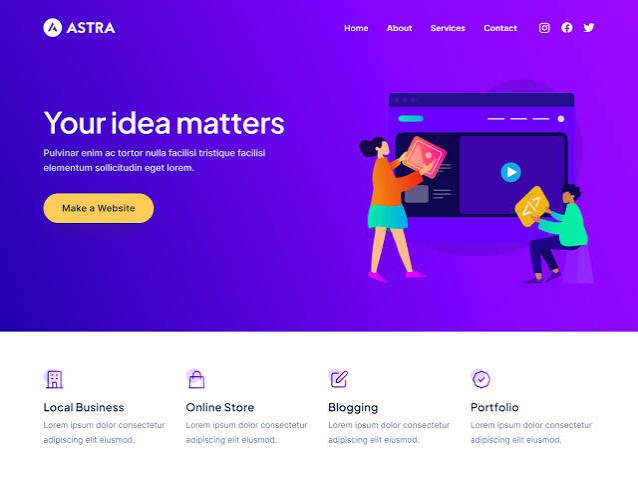
Astra is one of the best free WordPress themes available today. It is known for its excellent speed, clean code, and flexibility. Whether you are creating a blog, a business website, a portfolio, or a WooCommerce store, Astra offers hundreds of starter templates that help you launch a professional website in just a few minutes.
Key Features
- Lightweight and loads in less than a second
- SEO-friendly structure
- Mobile-responsive design
- Compatible with Elementor, Gutenberg, and Beaver Builder
- WooCommerce-ready
- Large collection of free starter templates
Pros
- Very fast
- Easy to customize
- Excellent for
- beginners
- Regular updates
Cons
- The Pro version is required for some advanced features.
Best for : Blogs, affiliate websites, business websites, portfolios, and online stores.
2. Kadence
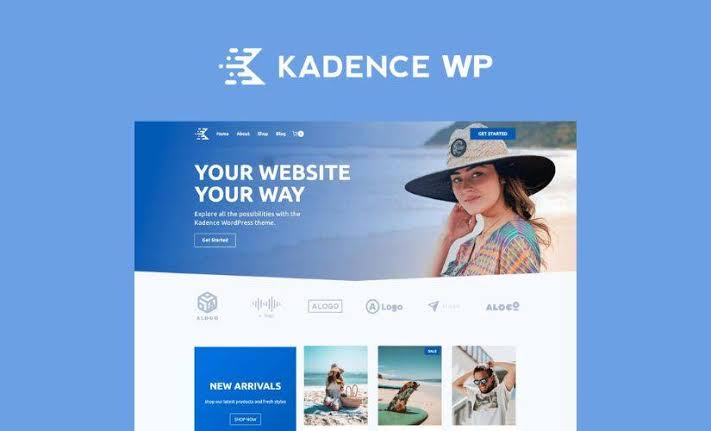
Kadence is one of the best free WordPress themes and an excellent choice. It offers a modern design, extensive customization options, and superior performance, ensuring your website loads quickly. Beginners can easily create beautiful websites using its drag-and-drop header and footer builder.
Key Features
- Fast and lightweight
- Drag-and-drop
- header builder
- Global font and color controls
- WooCommerce compatible
- Mobile-optimized
Pros
- Easy for beginners
- Excellent customization
- Clean and modern layout
Cons
- Requires the paid version for some premium templates.
Best for : Bloggers, agencies, freelancers, and business websites.
3. GeneratePress
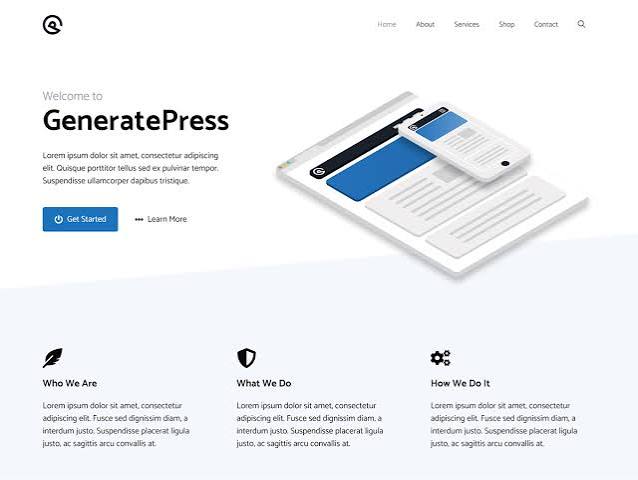
GeneratePress is famous for speed, stability, and clean coding. If website performance is your priority, this is one of the Best Free WordPress Themes you can choose.
Key Features
- Super lightweight
- SEO optimized
- Responsive design
- Works with all major page builders
- Accessibility ready
Pros
- Excellent loading speed
- Secure coding
- Easy to maintain
Cons
Fewer design options in the free version.
Best For : Bloggers, affiliate marketers, and content-focused websites.
4. Blocksy
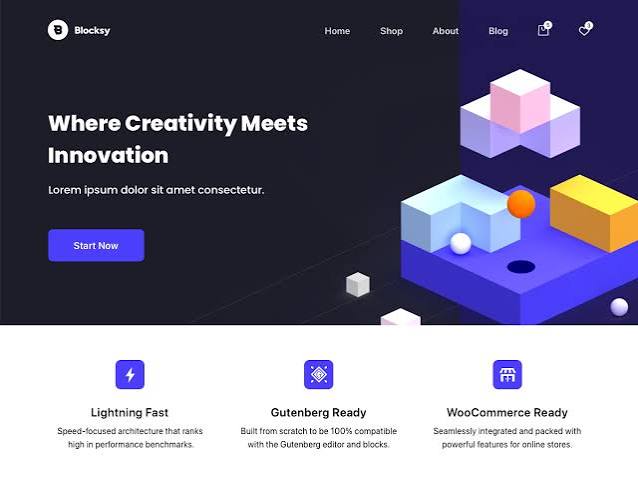
Blocksy is a modern WordPress theme built with the latest web technologies. It offers beautiful starter sites, excellent speed, and advanced customization options.
Key Features
- Lightning-fast performance
- ive Customizer support
- WooCommerce ready
- Dark mode support
- Responsive layouts
Pros
- Modern interface
- Beginner friendly
- Great customization
Cons
- Some premium features are locked.
Best For : Blogs, online stores, portfolios, and creative websites.
5. Neve
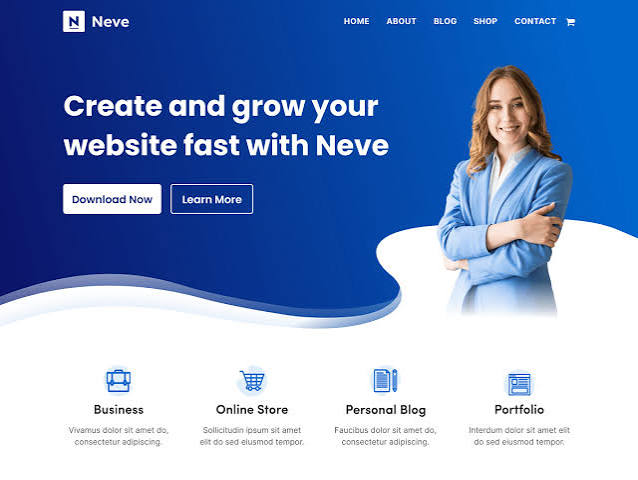
Neve is designed for speed and simplicity. It works perfectly with Gutenberg and popular page builders, making it one of the Best Free WordPress Themes for beginners.
Key Features
- Lightweight
- AMP compatible
- Mobile-first design
- WooCommerce integration
- SEO friendly
Pros
- Fast loading
- Easy setup
- Beginner friendly
Cons
- Limited starter templates in the free version.
Best For : Small businesses, blogs, startups, and portfolios.
👉 Ready to Build Your Website?
Before installing any of these themes, make sure your website is running on reliable hosting with fast servers, free SSL, and one-click WordPress installation.
If you’re creating your website for the first time, don’t miss our complete guides on How to Start a WordPress Blog and How to Install WordPress Step by Step. They’ll help you prepare your website before choosing one of these themes.
6. OceanWP
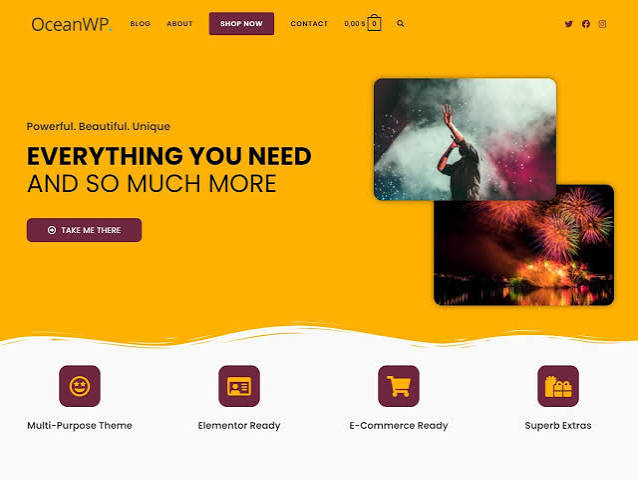
OceanWP is a flexible multipurpose WordPress theme suitable for almost every type of website. It includes many customization options and integrates well with WooCommerce.
Key Features
- Responsive design
- WooCommerce ready
- SEO optimized
- Multiple layout options
- Fast loading
Pros
- Highly customizable
- Great WooCommerce support
- Regular updates
Cons
- Some customization features are premium.
Best For : Business websites, eCommerce stores, and blogs.
7. Hello Elementor
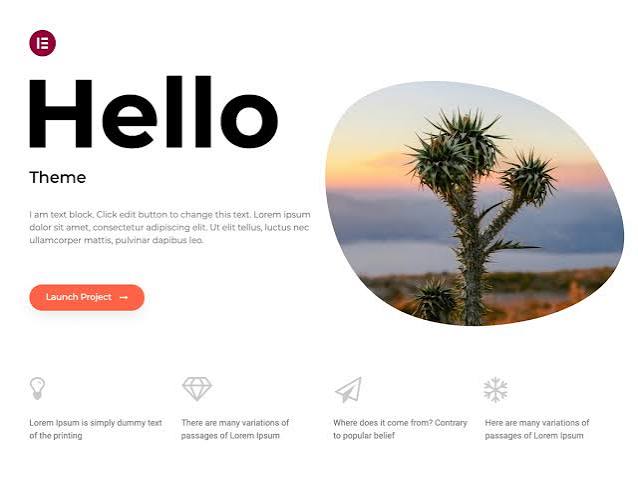
Hello Elementor is developed by the Elementor team and is designed to work perfectly with the Elementor page builder.
Key Features
- Minimal design
- Lightweight
- Fast loading
- Built for Elementor
- Responsive
Pros
- Excellent for Elementor users
- Very fast
- Clean foundation
Cons
- Not ideal without Elementor.
Best For : Landing pages, business websites, and custom website designs.
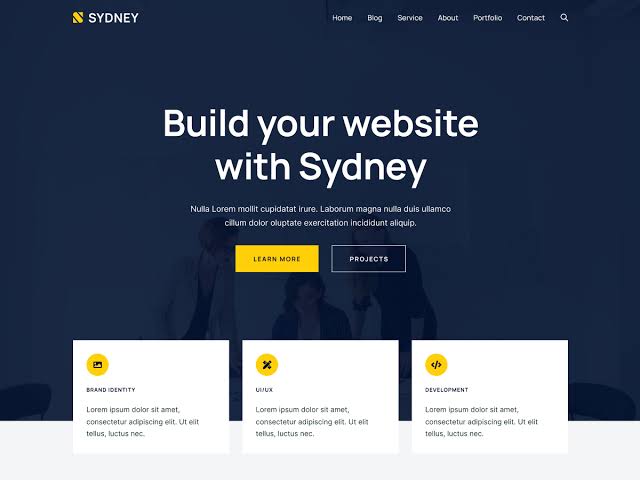
8. Sydney
Sydney is a professional business theme that provides excellent customization options and attractive homepage sections.
Key Features
- Professional layouts
- Google Fonts support
- Responsive design
- Header customization
- WooCommerce compatible
Pros
- Business focused
- Easy customization
- Beginner friendly
Cons
- Limited advanced features in the free version.
Best For : Agencies, freelancers, consultants, and businesses.
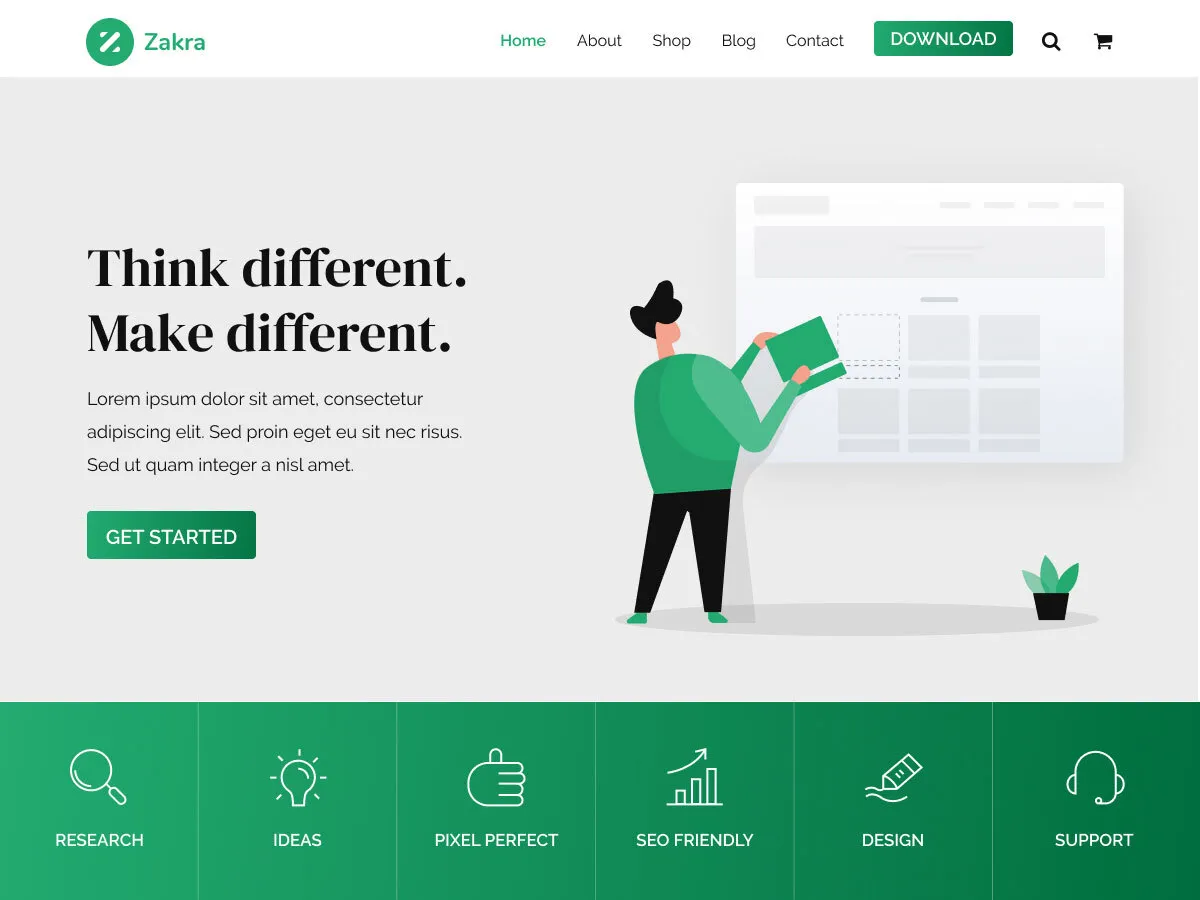
9. Zakra
Zakra is a lightweight multipurpose theme suitable for blogs, education websites, businesses, and WooCommerce stores.
Key Features
- Fast loading
- SEO friendly
- Mobile responsive
- Starter templates
- WooCommerce support
Pros
- Easy setup
- Flexible layouts
- Good performance
Cons
- Some templates require the Pro version.
Best For : Educational websites, blogs, and business websites.
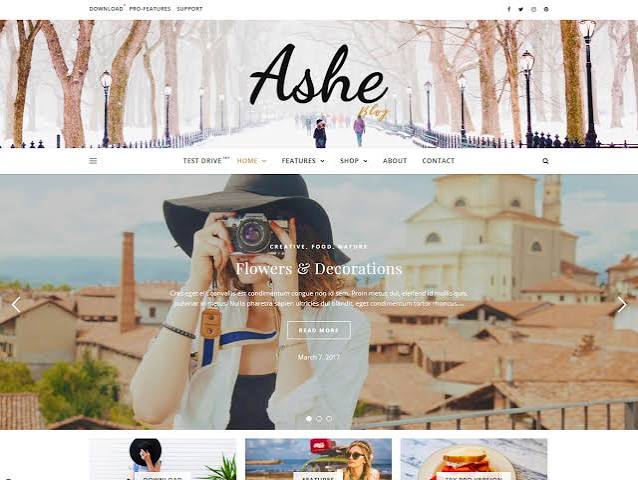
10. Ashe
Ashe is a stylish blogging theme designed for lifestyle, travel, food, fashion, and personal blogs. It offers a clean and elegant design while maintaining excellent speed.
Key Features
- Elegant design
- Responsive layout
- WooCommerce support
- SEO optimized
- Translation ready
Pros
- Beautiful blog layouts
- Fast performance
- Beginner friendly
Cons
- Limited advanced customization.
Best For : Personal blogs, travel blogs, food blogs, and lifestyle websites.
Final Recommendation
If you’re looking for the Best Free WordPress Themes, Astra, Kadence, and GeneratePress are the top three choices because they combine speed, SEO, flexibility, and ease of use. For Elementor users, Hello Elementor is an excellent option, while Blocksy and Neve are perfect if you want modern designs with powerful customization features. Choose the theme that best matches your website’s purpose instead of selecting one based only on appearance.
4.How to Choose the Best Free WordPress Theme
With thousands of free themes available in the WordPress directory, choosing the Best Free WordPress Themes can feel overwhelming, especially for beginners. Instead of selecting a theme based only on its appearance, you should focus on factors like speed, SEO, mobile responsiveness, customization, and long-term support. A well-chosen theme will help your website perform better and provide a great experience for your visitors.
Below are the most important things to consider before choosing a WordPress theme.
1. Choose a Lightweight and Fast Theme
Website speed is one of the most important ranking factors. A lightweight theme helps your pages load faster, improves user experience, and reduces bounce rates.
Themes like Astra, GeneratePress, and Kadence are excellent choices because they are built with clean code and optimized for speed.
Why it matters
- Faster loading pages
- Better SEO performance
- Improved user experience
- Higher conversion rates
2. Make Sure the Theme Is Mobile Responsive
Today, most visitors browse websites using smartphones and tablets. The Best Free WordPress Themes automatically adjust to different screen sizes, ensuring your website looks professional on every device.
Before installing a theme, preview its mobile version or test its demo on different screen sizes.
Recommended Themes
- Astra
- Blocksy
- Neve
- Kadence
3. Check SEO Friendliness
A beautiful website won’t help if search engines struggle to understand it. Always choose a theme that follows WordPress coding standards and is optimized for SEO.
Themes such as GeneratePress, Astra, and Neve are known for their SEO-friendly structure and excellent performance.
If you’re planning to grow your website through search engines, this is one of the most important factors when selecting the Best Free WordPress Themes.
👉 Build Your Website on Reliable Hosting
A fast theme performs even better when paired with reliable hosting that includes one-click WordPress installation, free SSL, daily backups, and excellent uptime.
4. Look for Regular Updates
WordPress receives regular updates, and your theme should also be updated frequently to maintain compatibility, security, and performance.
Before installing a theme, check:
- Last update date
- Active installations
- User ratings
- Developer reputation
Themes like Astra, Kadence, GeneratePress, and Blocksy receive regular updates and have large user communities.
5. Easy Customization Options
A good theme should allow you to customize your website without writing any code. Choose themes that let you easily.
Modify elements such as:
- Colors
- Fonts
- Header
- Footer
- Layout
- Sidebar
- Logo
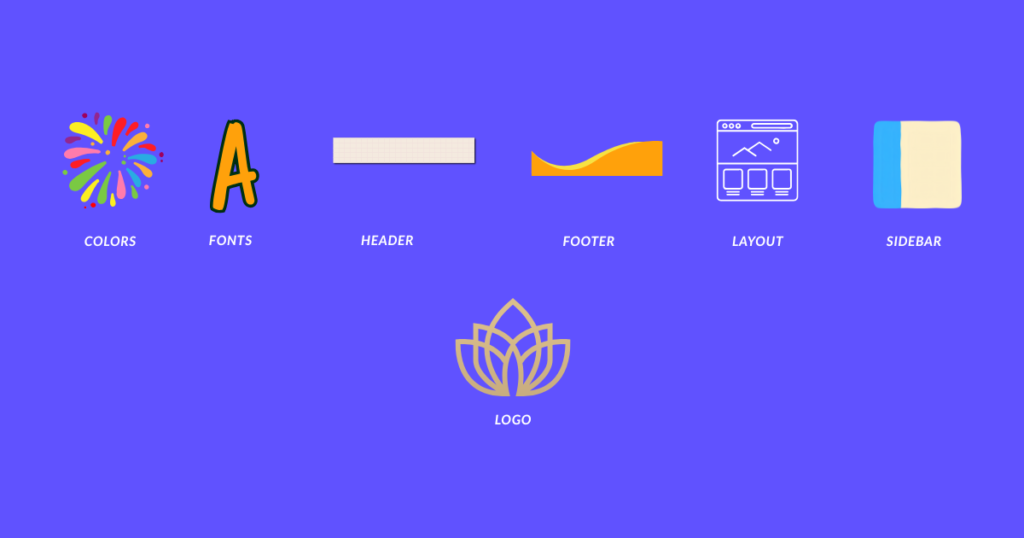
Themes like Astra, Kadence, Blocksy, and OceanWP offer excellent customization features even in their free versions.
6. Compatibility with Popular Plugins
The Best Free WordPress Themes should work smoothly with popular.
plugins like:
- Elementor
- Rank Math SEO
- WooCommerce
- WPForms
- LiteSpeed Cache
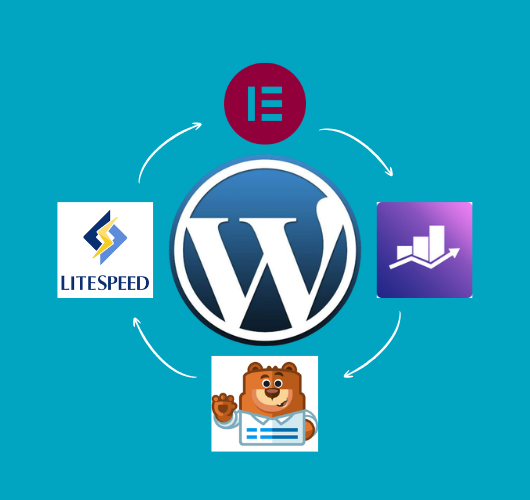
Plugin compatibility ensures you can add new features to your website without technical issues.
7. Select a Theme Based on Your Website Type
Different themes are designed for different purposes. Instead of choosing the most popular theme, choose one that matches your website goals.
Website Type ——- Recommended Theme
Personal Blog — Astra, Ashe
Affiliate Website — GeneratePress, Astra
Business Website — Kadence, Sydney
Portfolio — Blocksy, Neve
WooCommerce Store — OceanWP, Astra
News or Magazine — Blocksy, Kadence
8. Read Reviews Before Installing
Before installing any theme, spend a few minutes reading user reviews and checking its ratings in the WordPress Theme Directory.
A theme with:
- Thousands of active installations
- High ratings
- Regular updates
- Responsive developer support
Is usually a safer long-term choice.
If you’re building your first website, our How to Start a WordPress Blog guide will help you choose your niche, domain name, hosting, and set up your website correctly. If you haven’t installed WordPress yet, follow our How to Install WordPress Step by Step tutorial before selecting your theme. Building a strong foundation first makes it much easier to get the best results from the Best Free WordPress Themes.
Final Tip
Choosing the Best Free WordPress Themes is not about selecting the most attractive design—it’s about finding a theme that is fast, secure, SEO-friendly, mobile responsive, and easy to customize. Take your time, compare a few options, and pick a theme that matches your website’s purpose. A smart choice today will save you time and help your website grow more successfully in the future.
5. How to Install a WordPress Theme
After choosing one of the Best Free WordPress Themes, the next step is installing it on your website. The good news is that WordPress makes this process quick and beginner-friendly. You don’t need any coding knowledge, and you can install a new theme in just a few minutes.
If you haven’t created your website yet, start by following our How to Start a WordPress Blog guide. If WordPress is not installed on your hosting account, you can also follow our detailed How to Install WordPress Step by Step tutorial before installing your first theme.
Step 1: Log in to Your WordPress Dashboard
Open your website’s login page by visiting:
yourwebsite.com/wp-admin
Enter your username and password, then click Log In.
Step 2: Go to Appearance → Themes
From the WordPress dashboard, navigate to:
Appearance → Themes
Here you’ll see your currently installed themes.
Click the Add New Theme button at the top of the page.
Step 3: Search for Your Preferred Theme
Use the search box to find the theme you want to install.
For example, you can search for:
- Astra
- Kadence
- GeneratePress
- Blocksy
- Neve
- OceanWP
- Hello Elementor
- Sydney
- Zakra
- Ashe
All of these are among the Best Free WordPress Themes and are available directly from the official WordPress Theme Directory.
Step 4: Click Install
Once you find your preferred theme, click the Install button.
WordPress will automatically download and install the theme within a few seconds.
Step 5: Activate the Theme
After installation is complete, click the Activate button.
Your new WordPress theme is now live, and your website will immediately start using its new design.
Step 6: Customize Your Theme
To personalize your website, go to:
Appearance → Customize
Depending on your chosen theme, you can customize:
- Website Logo
- Site Title
- Colors
- Fonts
- Header
- Footer
- Homepage Layout
- Menus
- Widgets
Themes like Astra ,Kadence, and Blocksy provide excellent customization options, even in their free versions.
Step 7: Import a Starter Template (Optional)
Some of the Best Free WordPress Themes, including Astra, Kadence, Blocksy, and Neve, offer free starter templates.
These ready-made website designs allow you to create a professional-looking website in just a few clicks. Simply import a template, replace the demo content with your own, and your website is ready much faster.
💡 Beginner Tip:
A lightweight theme performs best when your website is hosted on fast and reliable WordPress hosting with one-click installation, free SSL, daily backups, and excellent uptime.
Final Tip
Installing one of the Best Free WordPress Themes is only the first step. To get the best results, keep your theme updated, avoid unnecessary customization, and install only trusted plugins. If you’re building your first website, don’t forget to read our How to Start a WordPress Blog guide and How to Install WordPress Step by Step tutorial. Together, these guides will help you build a fast, secure, and professional WordPress website from the ground up.
6. Free vs. Premium WordPress Themes
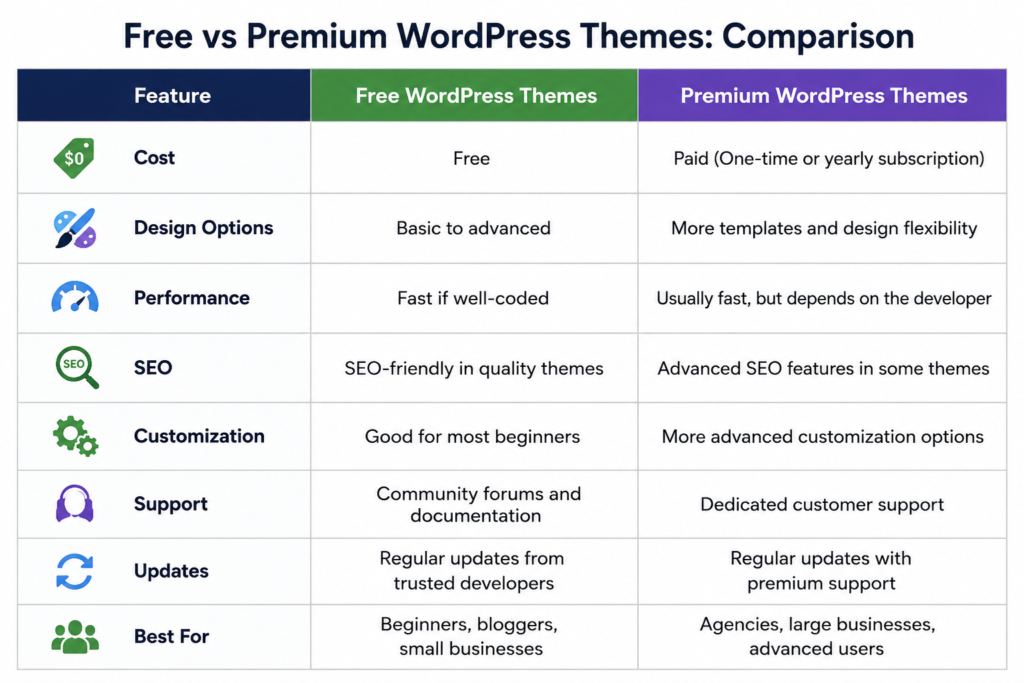
Many beginners wonder whether they should choose one of the best free WordPress themes or spend money on a premium theme. The answer depends on your website’s goals, your budget, and the features you require. For most beginners, bloggers, and small business owners, a well-designed free theme is sufficient to create a professional website.
Premium themes usually offer advanced customization options, exclusive templates, dedicated customer support, and additional features. However, if you’re just starting your blogging journey, spending money on a premium theme isn’t always necessary. Popular free themes like Astra, Kadence, GeneratePress, Blocksy, and Neve already provide excellent speed, responsive designs, SEO-friendly coding, and regular updates.
The table below highlights the main differences between free and premium WordPress themes.
Which Free Themes Are Worth Choosing?
If you’re planning to stay with a free theme, these are some of the Best Free WordPress Themes available today:
Astra — Best overall for blogs, affiliate websites, and business sites.
Kadence — Excellent customization and beginner-friendly controls.
GeneratePress — Perfect for speed, SEO, and content-focused websites.
Blocksy — Modern design with powerful customization features.
Neve — Lightweight and ideal for business websites and portfolios.
These themes are trusted by millions of WordPress users and receive regular updates, making them excellent long-term choices.
When Should You Upgrade to a Premium Theme?
A premium theme may be worth considering if you:
- Need advanced layout and design options.
- Want exclusive starter templates.
- Require priority customer support.
- Build websites for clients.
- Run a large eCommerce or business website.
For most personal blogs and affiliate websites, however, one of the Best Free WordPress Themes will provide everything you need to get started successfully.
💡 Recommendation:
Before spending money on a premium theme, invest in reliable WordPress hosting. A fast hosting provider with one-click WordPress installation, free SSL, daily backups, and excellent uptime will have a much bigger impact on your website’s performance than buying an expensive theme.
If you’re building your first website, our How to Start a WordPress Blog guide will walk you through choosing a niche, registering a domain name, purchasing hosting, and publishing your first article. If you haven’t installed WordPress yet, follow our How to Install WordPress Step by Step tutorial before choosing your theme. Once your website is ready, you can confidently install one of the Best Free WordPress Themes and start customizing your site.
Final Tip :
Don’t choose a theme simply because it looks attractive in the demo. Instead, focus on speed, SEO, mobile responsiveness, regular updates, and ease of customization. A lightweight, well-maintained free theme will help your website perform better, load faster, and provide a better experience for your visitors. As your website grows, you can always upgrade to a premium version if you need additional features, but for most beginners, the Best Free WordPress Themes are more than capable of building a professional and successful website.
7.Common Mistakes to Avoid When Choosing a WordPress Theme
Choosing one of the Best Free WordPress Themes is an important step in building a successful website. However, many beginners make small mistakes that can affect their website’s speed, SEO, security, and overall user experience. By avoiding the following mistakes, you’ll save time and create a website that’s easier to manage in the long run.
1. Choosing a Theme Based Only on Appearance
One of the biggest mistakes beginners make is selecting a theme simply because it looks beautiful in the demo. A visually attractive design doesn’t always mean the theme is fast, secure, or SEO-friendly.
Instead, choose one of the Best Free WordPress Themes that offers clean coding, regular updates, and excellent performance. Themes like Astra, GeneratePress, and Kadence are great examples because they balance design with speed and functionality.
2. Ignoring Website Speed
A slow website can frustrate visitors and negatively impact your search engine rankings. Some themes include unnecessary animations and heavy design elements that increase loading times.
If speed is your priority, consider lightweight themes such as:
- Astra
- GeneratePress
- Neve
- Blocksy
These themes are optimized for performance and provide a better user experience.
3. Not Checking Mobile Responsiveness
More than half of website visitors use smartphones to browse the internet. If your website doesn’t display properly on mobile devices, visitors may leave before reading your content.
Always preview the theme on mobile before installing it. Most of the Best Free WordPress Themes are fully responsive and automatically adapt to different screen sizes.
👉 Build on Reliable Hosting First
Even the fastest WordPress theme performs better when it’s hosted on reliable WordPress hosting with one-click installation, free SSL, daily backups, and high-speed servers.
4. Installing Too Many Themes
Some beginners install multiple themes just to test them and forget to remove the unused ones. While inactive themes don’t slow down your website significantly, keeping unnecessary themes installed can create maintenance and security issues.
Keep only your active theme and one default WordPress theme as a backup.
5. Ignoring Theme Updates
Themes receive regular updates to improve security, fix bugs, and maintain compatibility with the latest version of WordPress.
Whether you’re using Astra, Kadence, GeneratePress, Blocksy, or any other theme, always install updates when they’re available.
6. Choosing a Theme Without Plugin Compatibility
Before installing a theme, make sure it works well with popular WordPress plugins such as:
- Elementor
- Rank Math SEO
- WooCommerce
- LiteSpeed Cache
- WPForms
The Best Free WordPress Themes are designed to work smoothly with these plugins, making website customization much easier.
7. Not Reading Reviews and Ratings
Never install a theme without checking its:
- User ratings
- Active installations
- Recent updates
- Developer support
Themes with thousands of active users and positive reviews are generally more reliable than newly published themes with little community feedback.
8. Choosing the Wrong Theme for Your Website Type
Every website has different requirements. A blogging theme may not be the best choice for an online store, and an eCommerce theme may include unnecessary features for a personal blog.
Here are some recommendations:
Astra – Best for blogs, affiliate websites, and businesses.
GeneratePress – Best for SEO-focused and content-heavy websites.
Kadence – Great for business websites and beginners.
Blocksy – Perfect for portfolios and creative websites.
OceanWP – Excellent for WooCommerce stores.
Ashe – Ideal for lifestyle, travel, and personal blogs.
Selecting the right theme for your website’s purpose will give you better results in the long run.
If you’re creating your first website, our How to Start a WordPress Blog guide will help you choose the right niche, domain name, hosting, and essential settings. If WordPress isn’t installed yet, follow our How to Install WordPress Step by Step tutorial before selecting one of the Best Free WordPress Themes.
Final Tip :
The Best Free WordPress Themes aren’t necessarily the ones with the most features—they’re the ones that are fast, secure, mobile-friendly, regularly updated, and easy to customize. Take your time before making a decision, because choosing the right theme from the beginning will help you build a professional website that’s easier to grow and maintain.
8.Frequently Asked Questions (FAQs)
1. What are the Best Free WordPress Themes for beginners?
Some of the Best Free WordPress Themes for beginners include Astra, Kadence, GeneratePress, Blocksy, and Neve. These themes are lightweight, SEO-friendly, mobile responsive, and easy to customize without any coding knowledge.
2. Are free WordPress themes safe to use?
Yes, free themes downloaded from the official WordPress Theme Directory are generally safe and reliable. To keep your website secure, always choose themes from trusted developers and install regular updates.
3. Can I create a professional website using a free WordPress theme?
Absolutely. Many of the Best Free WordPress Themes offer professional designs, fast performance, and powerful customization options. Thousands of bloggers, businesses, and online stores successfully use free themes to build high-quality websites.
4. Which free WordPress theme is the fastest?
If speed is your priority, GeneratePress, Astra, Kadence, and Neve are among the fastest Best Free WordPress Themes. They are designed with clean code and optimized for excellent performance.
5. Which free WordPress theme is best for blogging?
For blogging, Astra, GeneratePress, Ashe, and Kadence are excellent choices. They provide clean layouts, fast loading speeds, and SEO-friendly structures that help create a better reading experience.
6. Which free WordPress theme is best for WooCommerce?
If you’re planning to build an online store, Astra, OceanWP, Kadence, and Neve are some of the Best Free WordPress Themes for WooCommerce. They integrate smoothly with WooCommerce and support modern eCommerce features.
7. Can I change my WordPress theme later?
Yes. You can change your theme at any time without losing your blog posts or pages. However, some design settings, widgets, and menus may need to be adjusted after switching to a new theme.
8. How do I install a free WordPress theme?
Installing a free theme is simple. Go to Appearance → Themes → Add New, search for your preferred theme, click Install, and then Activate. If you haven’t installed WordPress yet, follow our How to Install WordPress Step by Step guide before choosing one of the Best Free WordPress Themes.
9. Should I choose a free or premium WordPress theme?
For most beginners, bloggers, and small business websites, one of the Best Free WordPress Themes is more than enough. You can always upgrade to the premium version later if you need advanced features, premium templates, or dedicated customer support.
10. What should I do after installing a WordPress theme?
After installing your theme, customize your website by adding your logo, choosing colors, creating menus, installing essential plugins, and publishing your first blog post. If you’re just starting your website, our How to Start a WordPress Blog guide will walk you through every important step after installation.
💡 Beginner Tip :
Even the Best Free WordPress Themes perform better when your website is hosted on reliable WordPress hosting with one-click WordPress installation, free SSL, daily backups, and excellent speed.
Final Tip :
Choosing one of the Best Free WordPress Themes is only the beginning of building a successful website. Focus on selecting a fast, SEO-friendly, and regularly updated theme that matches your website’s purpose. As your website grows, you can always upgrade your design or add new features, but starting with the right foundation will make your WordPress journey much easier.
9.Conclusion
Choosing the Best Free WordPress Themes is one of the most important decisions you’ll make when building a WordPress website. A well-designed theme not only improves your website’s appearance but also enhances its speed, SEO, mobile responsiveness, and overall user experience. Fortunately, you don’t have to spend money to create a professional website, as many free themes offer excellent performance and powerful customization features.
Throughout this guide, we’ve explored the Best Free WordPress Themes, compared their features, discussed the differences between free and premium themes, explained how to choose the right theme, and showed you how to install one on your website. Whether you prefer Astra, Kadence, GeneratePress, Blocksy, Neve, OceanWP, Hello Elementor, Sydney, Zakra, or Ashe, each theme has its own strengths. The best choice depends on your website’s purpose, design preferences, and future goals.
If you’re creating your first website, don’t forget to read our How to Start a WordPress Blog guide to learn how to choose a niche, register a domain name, and publish your first blog post. If WordPress isn’t installed yet, our How to Install WordPress Step by Step tutorial will help you set up your website quickly and correctly before installing one of the Best Free WordPress Themes.
🚀 Ready to Build Your Website?
Start with reliable WordPress hosting that includes one-click WordPress installation, a free domain, free SSL, daily backups, and fast performance. A strong hosting foundation allows even the Best Free WordPress Themes to deliver their full potential.
Final Thoughts :
There is no single theme that’s perfect for every website. Instead of choosing a theme based only on its appearance, focus on performance, SEO, mobile responsiveness, regular updates, and ease of customization. Take your time, test a few options, and select the Best Free WordPress Themes that match your website’s needs. With the right theme and a solid foundation, you’ll be ready to create a fast, professional, and successful WordPress website that can grow with your goals.