
Introduction :
How to Start a WordPress Blog is one of the first questions beginners ask when they want to create a website and share their ideas online. Whether you want to create a personal blog, launch an online business, build a portfolio, or earn passive income through affiliate marketing, WordPress makes the entire process easy and beginner-friendly.
The best part is that you do not need any coding knowledge or technical experience to get started. With the right domain name, reliable web hosting, and a few simple steps, How to Start a WordPress Blog becomes much easier than most people expect.
In this beginner-friendly guide, you’ll learn How to Start a WordPress Blog from scratch, including choosing a niche, registering a domain name, selecting reliable hosting, installing WordPress, and publishing your first blog with confidence.
In this step-by-step guide, you’ll learn everything you need to know about How to Start a WordPress Blog—from choosing a niche and buying a domain name to installing WordPress, selecting the perfect theme, publishing your first blog post, and optimizing your website for search engines. By the end of this guide, you’ll have all the knowledge and confidence needed to successfully complete How to Start a WordPress Blog and launch your own website.
Whether you’re starting your very first website or moving from another blogging platform, this guide will help you avoid common beginner mistakes and build a strong foundation for long-term success. By following the proven steps in How to Start a WordPress Blog, you’ll be well-prepared to create, manage, and grow your WordPress blog with confidence.
1.What is a WordPress Blog?
Starting a WordPress blog becomes much easier once you understand what a WordPress blog is and how it works. Many beginners think that a blog and a website are the same thing, but there are some key differences between them.
Before starting a WordPress blog, it is beneficial to learn the basics so that you can make the right decisions from the very beginning.
1.What is Blogging?
Starting a WordPress blog becomes much easier once you understand what a WordPress blog is and how it works. Many beginners think that a blog and Blogging is the process of publishing useful content online through articles, tutorials, reviews, or guides.
Each piece of content is called a blog post, and new posts are usually displayed first so readers can easily find the latest updates. People start blogs for many different reasons, such as sharing knowledge.
Building a personal brand, growing a business, helping others solve problems, or earning money through affiliate marketing, advertisements, and digital products a website are the same thing, but there are some key differences between them.
Before starting a WordPress blog, it is beneficial to learn the basics so that you can make the right decisions from the very beginning.
2.What is WordPress?
WordPress is the world’s most popular Content Management System (CMS) that allows you to build and manage a website without writing complex code. It offers thousands of free and premium themes, plugins, and customization options, making it suitable for beginners as well as experienced website owners.
If you’re learning How to Start a WordPress Blog, WordPress.org is the best platform because it gives you complete control over your website and allows you to grow without limitations.
Need help installing WordPress?
Follow our detailed How to Install WordPress Step by Step guide to set up your website quickly and correctly.
3.What Is the Difference Between a Website and a Blog?
A website is a collection of web pages that usually includes sections like Home, About, Services, and Contact. These pages don’t change very often. A blog, on the other hand, is updated regularly with new articles that provide fresh information to readers.
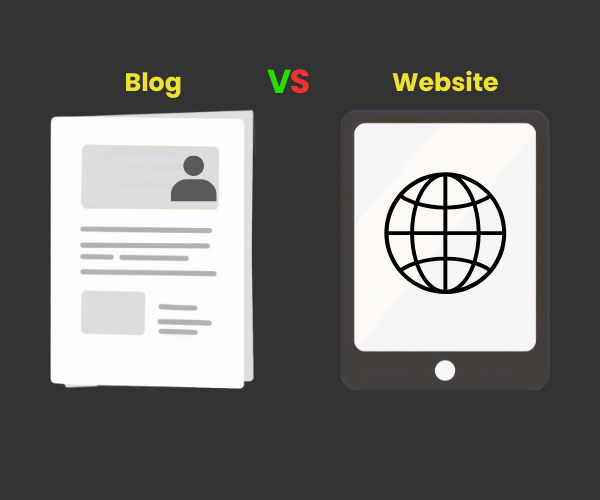
Publishing new blog posts consistently helps attract visitors from search engines and keeps your audience engaged. In fact, many modern websites include a blog section because it is one of the best ways to improve SEO and build authority in your niche.
4.Who Should Start a WordPress Blog?
A WordPress blog is perfect for anyone who wants to share knowledge or create an online presence. Whether you’re a student, freelancer, small business owner, affiliate marketer, teacher, travel enthusiast, food blogger, or technology expert, blogging can help you reach a wider audience and achieve your goals.
Learning How to Start a WordPress Blog is also an excellent first step if you want to build a long-term online business or generate passive income.
💡 Recommended Before You Start
Choosing a reliable hosting provider is one of the most important decisions you’ll make because it directly affects your website’s speed, security, and performance.
👉 Best Cheap WordPress Hosting Deals – Starting From Rs.55/mo
2.Why Choose WordPress for Blogging?
If you’re wondering How to Start a WordPress Blog, choosing the right platform is one of the most important decisions you’ll make. While there are many website builders available today, WordPress continues to be the first choice for millions of bloggers, businesses, and content creators around the world. It’s beginner-friendly, highly flexible, and gives you complete control over your website as it grows.
1.Easy and simple for beginners
People choose WordPress because its dashboard is very easy and simple to use. Even if you have never built a website before, you can easily write blog posts, upload images, create pages, and manage your content without any coding knowledge.
2.Complete control over your website
Unlike many website builders that limit customization, WordPress gives you control over every aspect of your website. You can choose from thousands of themes, install useful plugins, customize your design, and add new features whenever needed.
3.SEO-Friendly Platform
WordPress is designed with SEO in mind, making it easier for search engines to understand your content. By using plugins like Rank Math and following basic SEO practices, you can improve your chances of ranking higher in Google search results. This is one of the biggest advantages when learning How to Start a WordPress Blog for long-term growth.
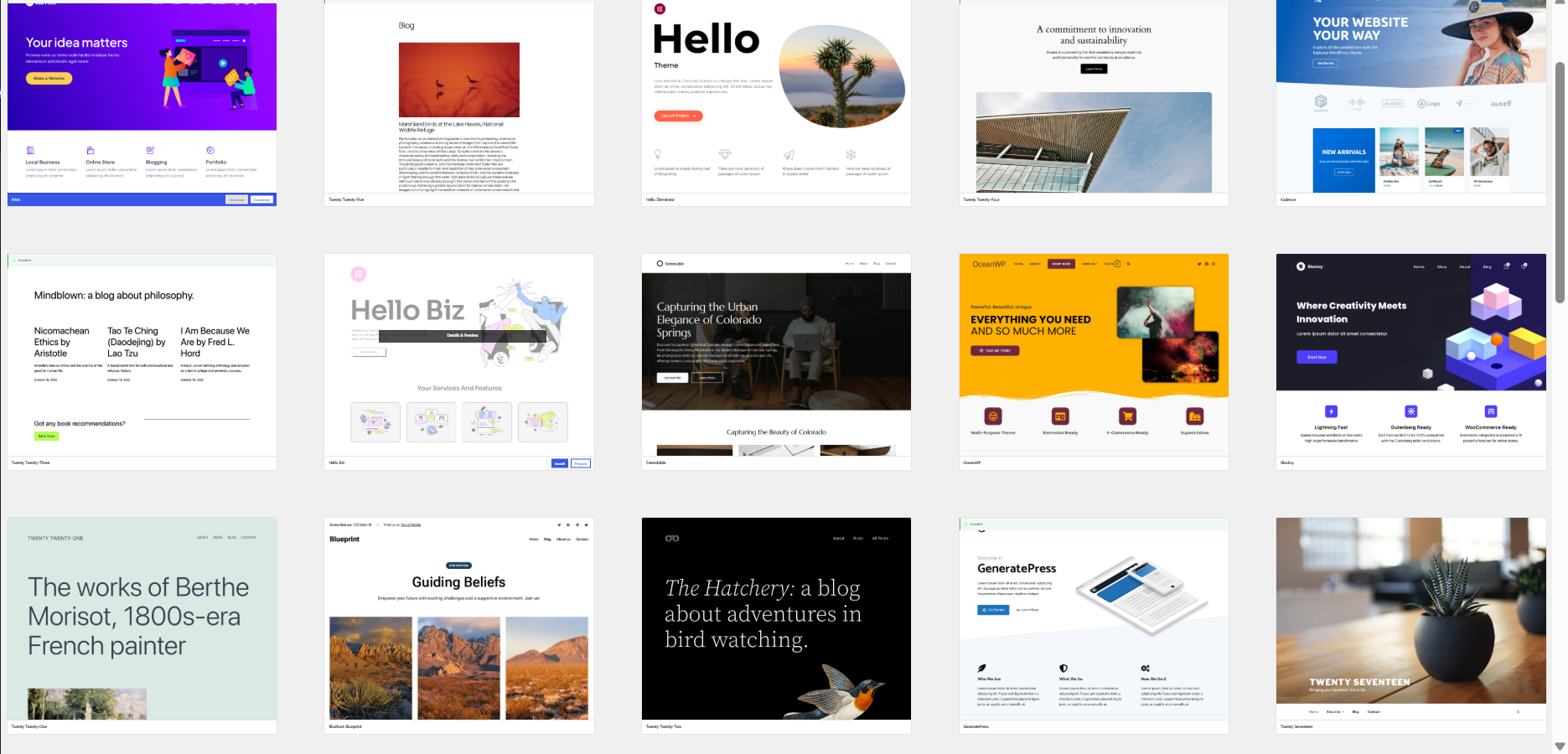
4.Thousands of Themes and Plugins
Themes
Plugins
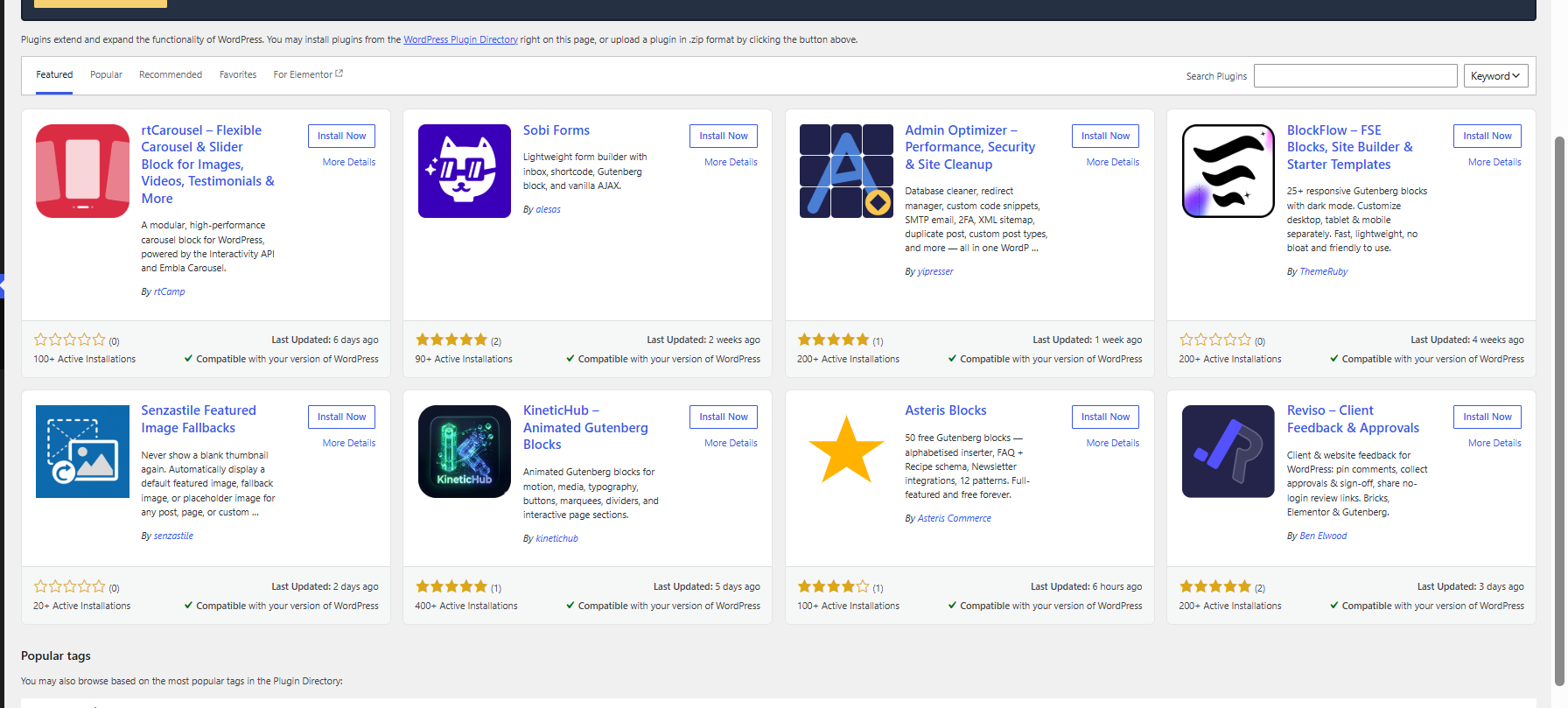
Whether you’re creating a personal blog, business website, portfolio, or affiliate website, WordPress offers thousands of free and premium themes and plugins. These tools allow you to customize your website’s appearance and add features such as contact forms, backups, security, caching, and SEO without writing code.
5. Scalable for Future Growth
Your blog may start with just a few pages, but as your audience grows, WordPress grows with you. You can expand your website by adding new categories, online courses, membership areas, or even an eCommerce store without changing platforms.
6.Large Community and Free Resources
Since WordPress powers millions of websites worldwide, you’ll find thousands of tutorials, videos, forums, and guides whenever you need help. This makes learning How to Start a WordPress Blog much easier because solutions to most common problems are already available online.
💡Recommended Before You Continue
A successful WordPress blog starts with reliable hosting. Fast hosting improves your website’s speed, security, and overall performance, giving your visitors a better experience from day one.
👉 Best Cheap WordPress Hosting Deals – Starting From Rs.55/mo
In this guide, you’ll find beginner-friendly hosting recommendations, exclusive deals, and tips to help you choose the right hosting plan for your WordPress blog.
3.What You Need Before Starting a WordPress Blog
Before learning How to Start a WordPress Blog, it’s important to prepare a few essentials. Starting a blog is much easier when you know exactly what you need and which steps to follow. From choosing the right niche to publishing your first blog post, every step plays an important role in building a successful WordPress blog.
The good news is that you don’t need any coding knowledge or technical experience. By following the steps below, you’ll have everything ready to launch your blog with confidence. If you’re completely new to WordPress, don’t worry—this guide is designed specifically for beginners.
Step 1: Choose a Blog Niche
The first step in How to Start a WordPress Blog is selecting the right niche. Your niche is the main topic your blog will focus on. Choosing something you’re interested in and knowledgeable about will make it easier to create helpful content consistently.
Popular blog niches include:
- Technology
- Travel
- Food & Recipes
- Health & Fitness
- Personal Finance
- Education
- Lifestyle
- Digital Marketing
Instead of writing about everything, focus on one niche and build authority around it. This also helps search engines understand your website better.
Step 2: Register a domain name
First, you need to acquire a domain. What is a domain? It is your website’s name and your blog’s identity on the internet. It is the address that visitors type into their browsers to access your website—for example, yourblog.com.
Choose a domain name that:
- Is short and easy to remember
- Is easy to spell
- Relates to your topic (niche)
- Does not contain numbers or unnecessary hyphens
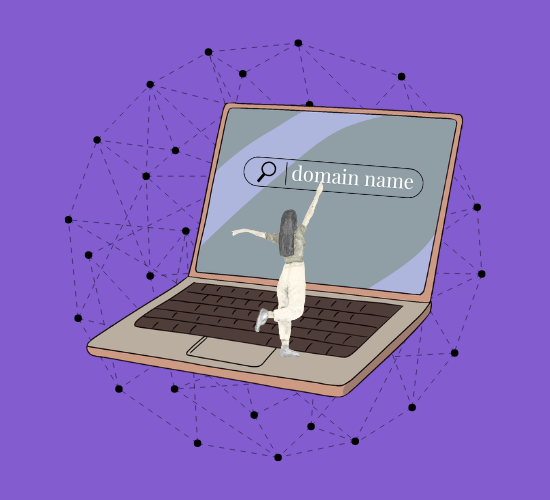
A professional domain name makes your website appear more trustworthy and easier to remember.
Step 3: Purchase Reliable WordPress Hosting
After choosing your domain, you will need a reliable hosting provider. Hosting stores all your website’s files and makes your blog accessible to visitors worldwide.
A good hosting provider should offer the following features:
- Robust security
- Fast loading speeds
- Daily backups
- High uptime
- Easy WordPress installation
- Good customer support
- 24/7 support

💡 Are you looking for hosting that is easy for beginners?
Choosing the right hosting from the start can save you time and help you avoid many common website-related issues later on.
Step 4: Install WordPress
Once your hosting account is ready, the next step is to install WordPress. Most hosting providers offer a ‘one-click WordPress installation’ feature, making the setup process quick and easy.
If this is your first website and you aren’t sure how to install WordPress, we have already created a detailed tutorial that explains every step with screenshots.
👉 Read: How to install WordPress step-by-step
Following that guide will help you complete the installation correctly and avoid common mistakes made by beginners.
Step 5: Choose a WordPress Theme
A WordPress theme controls the overall design and appearance of your blog. Choosing a lightweight, responsive, and SEO-friendly theme will improve both user experience and website performance.
When selecting a theme, look for:
You can always change your theme later without losing your blog content.
- Mobile-friendly design
- Fast loading speed
- Easy customization
- Regular updates
- Good user ratings
You can always change your theme later without losing your blog content.
Step 6: Install essential plugins
Plugins add extra features to your website without requiring any coding.
Some essential plugins that every new user should install:
- Elementor – Drag-and-drop page builder
- Rank Math SEO – Improve your search engine rankings
- LiteSpeed Cache – Boost website speed
- UpdraftPlus – Create automatic backups
- WPForms – Easily add contact forms
- WorPress Security – Protect your website from threats
Install only the plugins you actually need, as too many plugins can affect website performance.
Step 7: Create Important Pages
Before publishing your first article, create the essential pages every professional website should have.
These include:
- Home
- About
- Contact
- Privacy Policy
- Disclaimer
- Terms & Conditions
These pages help build trust with your visitors and are important for user experience and search engines.
Keep in mind that these are static pages, not blog posts. If you want to publish a new blog post, simply go to the Posts section in your WordPress dashboard, click Add New, write your article, and then click Publish to make it visible on your website.
Step 8: Publish Your First Blog Post
Now it’s time to publish your very first article.
Before clicking Publish, make sure you:
- Write a clear and engaging title.
- Add high-quality images.
- Use your focus keyword naturally.
- Create a short meta description.
- Assign the correct category.
- Preview your article on desktop and mobile devices.
After publishing, share your post on social media and submit the URL to Google Search Console so search engines can discover it faster.
Congratulations! 🎉 : You’ve successfully learned the essential steps of How to Start a WordPress Blog. As you continue publishing high-quality content consistently, your blog will grow, attract more visitors, and create new opportunities over time.
4.Basic SEO Tips for New WordPress Bloggers
Learning How to Start a WordPress Blog is only the beginning of your blogging journey. If you want people to find your content through Google and other search engines, you also need to understand the basics of SEO (Search Engine Optimization).
The good news is that you don’t need to be an SEO expert. By following a few simple practices from the start, you can improve your blog’s visibility and attract more organic traffic over time
1. Choose the Right Focus Keyword
Before writing any blog post, decide on one main keyword that matches what people are searching for. This is called your focus keyword. Use it naturally in your title, introduction, headings, URL, meta description, and throughout your content. Avoid overusing the keyword, as keyword stuffing can negatively affect your rankings.
2. Write Helpful and Original Content
Google values content that genuinely helps readers. Instead of writing just to rank, focus on solving your audience’s problems with clear, accurate, and easy-to-understand information. The more useful your content is, the more likely readers are to stay on your website and come back for future articles.
3. Use SEO-Friendly Titles and Headings
A clear title helps both readers and search engines understand what your article is about. Organize your content using H2 and H3 headings so visitors can easily scan your article and find the information they’re looking for.
4. Optimize Your Images
Images make your blog more engaging, but they should also be optimized. Compress images before uploading them to improve loading speed, use descriptive file names, and always add alt text. This helps search engines understand your images and improves accessibility for users.
5. Add Internal Links
Internal links help visitors discover more useful content on your website while improving your site’s SEO. For example, if your readers haven’t installed WordPress yet, you can naturally guide them to your detailed How to Install WordPress Step by Step tutorial. Similarly, if they’re still looking for a hosting provider, your Best Cheap WordPress Hosting Deals – Starting From Rs.55/mo guide can help them compare beginner-friendly hosting options before moving forward.
💡 Helpful Resource for Beginners
If you’re still choosing a hosting provider, comparing features before making a decision can save you time and help you avoid common beginner mistakes.
6. Write a Compelling Meta Description
A meta description is the short summary that often appears below your page title in Google search results. Write a clear and engaging description that includes your focus keyword naturally and encourages people to click on your article.
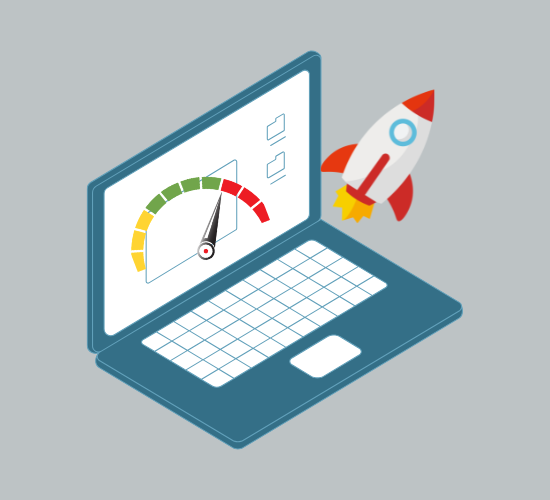
7. Improve Website Speed
A fast-loading website provides a better experience for visitors and is also a ranking factor for search engines. Choose reliable hosting, optimize your images, and use a caching plugin to improve your website’s performance.
8. Submit Your Website to Google Search Console
After publishing new content, submit your website and important URLs to Google Search Console. This helps Google discover and index your pages faster, making them eligible to appear in search results.
9. Keep Publishing Quality Content
One of the biggest SEO mistakes beginners make is publishing only one or two articles and expecting immediate results. SEO takes time. Continue publishing valuable content consistently, update older articles when needed, and focus on helping your readers.
As you continue How to Start a WordPress Blog, remember that SEO is an ongoing process rather than a one-time task. Every well-written article strengthens your website’s authority and increases your chances of ranking higher in search results. With consistency, patience, and high-quality content, your WordPress blog can continue attracting visitors for years to come.
5.Common Mistakes Beginners Should Avoid
Learning How to Start a WordPress Blog is exciting, but many beginners make small mistakes that can slow down their website’s growth. The good news is that most of these mistakes are easy to avoid if you know about them in advance. By following a few best practices from the beginning, you can save time, improve your website’s performance, and create a better experience for your visitors.
1. Choosing the Wrong Niche
One of the biggest mistakes beginners make is selecting a niche just because it’s popular. Instead, choose a topic you’re genuinely interested in and can consistently write about. Blogging is a long-term journey, so your niche should be something you enjoy and understand.
2. Buying Low-Quality Hosting
Many new bloggers choose the cheapest hosting plan without considering speed, security, or customer support. Poor hosting can lead to slow loading times, frequent downtime, and a frustrating experience for your visitors.
💡 Helpful Resource
If you’re comparing hosting providers, this beginner-friendly guide explains what features to look for before making your decision.
Best Cheap WordPress Hosting Deals – Starting From Rs.55/mo
Choosing reliable hosting from the beginning can help you avoid many technical problems later.
3. Skipping the WordPress Setup Process
Some beginners rush through the setup process while learning How to Start a WordPress Blog and accidentally use incorrect settings or miss important configurations. Taking a few extra minutes to install and configure WordPress properly will save you from unnecessary issues in the future and give your website a strong foundation.
If you haven’t installed WordPress yet or want to double-check the setup process, follow our detailed How to Install WordPress Step by Step guide for complete instructions with screenshots. It will help you complete How to Start a WordPress Blog with confidence and avoid common beginner mistakes.
4. Installing Too Many Plugins
Plugins are useful, but installing too many unnecessary plugins can slow down your website and sometimes create compatibility issues. As you learn How to Start a WordPress Blog, only install plugins that add real value to your blog and improve its functionality.
Following this best practice while building How to Start a WordPress Blog will help keep your website fast, secure, and easy to manage. Remove any plugins you no longer use to maintain optimal performance.
5. Ignoring Basic SEO
Many beginners publish articles without optimizing their titles, headings, images, or meta descriptions while learning How to Start a WordPress Blog. Basic SEO helps search engines understand your content and makes it easier for readers to discover your blog. As you continue How to Start a WordPress Blog, even small SEO improvements can make a noticeable difference in your website’s visibility and long-term growth.
6. Publishing Low-Quality Content
Writing articles just to increase the number of posts is never a good strategy, especially when learning How to Start a WordPress Blog. Instead, focus on creating original, helpful, and well-structured content that answers your readers’ questions. Quality content builds trust, improves your website’s credibility, and encourages visitors to return for more valuable information.
7. Forgetting to Create Backups
Unexpected problems can happen at any time, including plugin conflicts, accidental changes, or server issues. As you learn How to Start a WordPress Blog, creating regular website backups is one of the smartest habits you can develop. Backups ensure that you can quickly restore your blog if something goes wrong and continue your How to Start a WordPress Blog journey without losing valuable content.
8. Using Weak Login Credentials
Using simple usernames like admin or easy-to-guess passwords makes your website more vulnerable to attacks. Always create a strong password and enable additional security measures whenever possible.
9. Expecting Instant Results
One of the most common misconceptions beginners have while learning How to Start a WordPress Blog is expecting traffic immediately after publishing just a few articles. Blogging requires patience and consistency. Search engines need time to discover, index, and rank your content. As you continue following the best practices for How to Start a WordPress Blog and publish valuable articles regularly, you’ll gradually see better rankings and more organic traffic over time.
Learning How to Start a WordPress Blog isn’t just about launching a website—it’s about building a strong foundation for long-term success. By avoiding these common mistakes and continuously improving your content, you’ll create a blog that is faster, more trustworthy, and more valuable for your readers.
Why This Matters
Every successful blogger made mistakes when starting out. The difference is that they learned from those mistakes and kept improving. As you continue your journey with How to Start a WordPress Blog, focus on helping your audience, creating high-quality content, and making steady improvements. Over time, those small efforts can turn your blog into a valuable resource that attracts readers and grows consistently.
6.Frequently Asked Questions
If you’re still learning How to Start a WordPress Blog, you might have a few questions before launching your website. Here are some of the most common questions beginners ask, along with simple answers to help you get started with confidence.
1. Can I start a WordPress blog without coding?
Yes. One of the biggest advantages of WordPress is that you don’t need any coding skills to build a professional website. Most tasks, such as creating pages, writing blog posts, installing themes, and adding plugins, can be done through the WordPress dashboard with just a few clicks.
2. Do I need to buy a domain name and hosting?
Yes, if you’re using WordPress.org, you’ll need both a domain name and web hosting. Your domain name is your website’s address, while hosting stores your website’s files and makes them accessible online.
💡 Beginner Tip
If you’re still comparing hosting providers, this guide explains the features beginners should look for before choosing a hosting plan.
3. How much does it cost to start a WordPress blog?
The cost depends on your hosting provider and the services you choose. Many beginners start with an affordable hosting plan and a free WordPress theme, keeping the initial investment relatively low. As your blog grows, you can upgrade your hosting or purchase premium tools if needed.
4. How long does it take to start a WordPress blog?
If you already have your domain name and hosting, setting up a WordPress blog usually takes less than an hour. Beginners may need a little more time while learning the dashboard and customizing their website.
5. How do I install WordPress?
Most hosting providers offer a one-click WordPress installation, making the process simple even for beginners. If you’d like detailed instructions with screenshots, read our complete How to Install WordPress Step by Step guide before creating your first website.
6. Can I change my WordPress theme later?
Absolutely. WordPress allows you to switch themes whenever you want. Your blog posts and pages will remain safe, although you may need to adjust some design settings after activating a new theme.
7. Is WordPress good for SEO?
Yes. WordPress is one of the most SEO-friendly website platforms available. By using an SEO plugin, writing high-quality content, optimizing images, and following basic SEO practices, you can improve your chances of ranking higher in search engines.
8. How often should I publish new blog posts?
There isn’t a fixed number, but consistency is more important than frequency. Publishing one high-quality article every week is generally better than publishing several low-quality articles in a short period. Regular updates also encourage search engines to crawl your website more frequently.
9. Can I make money with a WordPress blog?
Yes. Many bloggers earn money through affiliate marketing, display advertising, sponsored posts, digital products, online courses, and freelance services. However, building a successful blog takes time, consistent effort, and valuable content.
10. What should I do after learning How to Start a WordPress Blog?
Once you’ve completed How to Start a WordPress Blog, focus on publishing helpful articles, improving your SEO, updating older content, and learning more about WordPress. The more valuable content you create, the more opportunities you’ll have to grow your audience and build a successful blog over time.
💡 Final Tip
Learning How to Start a WordPress Blog is only the first step. The real success comes from consistently publishing helpful content, improving your website, and providing value to your readers. Stay patient, keep learning, and your blog will continue to grow with time.
7 Conclusion
How to Start a WordPress Blog can seem daunting for beginners, but once you understand the process, it becomes much easier than most people expect. From selecting the right niche and domain name to purchasing reliable hosting, installing WordPress, choosing a theme, and publishing your first blog post, every step helps build a solid foundation for your blogging journey.
If you are following this guide, take your time and complete each step carefully rather than rushing. A well-planned blog is easier to manage, grows faster, and offers a better experience for your readers. As you continue learning How to Start a WordPress Blog, your confidence will grow, and you will discover new ways to improve your content, SEO, and website performance.
👉 Tips for beginners:
If you are looking for hassle-free hosting while learning How to Start a WordPress Blog, choose a reliable provider that offers features like one-click WordPress installation, free SSL, daily backups, and fast performance. Choosing the right hosting is an important step in How to Start a WordPress Blog, as it will make setting up your website much easier from day one.
🔵 [Check out the best and most affordable WordPress hosting deals →]
Once your website is live, don’t stop there. Keep publishing valuable content consistently, optimize every post for SEO, and continue improving your site over time. If you haven’t installed WordPress yet, read our detailed guide on How to Install WordPress Step by Step, and when you’re ready to customize your site’s design, explore our guide on the Best Free WordPress Themes to find a theme that matches your blog perfectly.
Remember, every successful blogger started with their very first post. The most important step is simply getting started. Follow this guide on How to Start a WordPress Blog, stay consistent, keep learning, and your blog can grow into a valuable resource—and even a long-term online business.