
Introduction :
If you are planning to build a website for your small business, choosing the right hosting is a crucial decision. Good hosting ensures your website loads quickly, stays secure, and remains operational when customers visit.
With so many hosting providers and plans available today, selecting the right one can be confusing—especially if you are new to WordPress. The best WordPress hosting for small businesses strikes the right balance between performance, security, support, storage, and price.
You don’t necessarily need the most expensive hosting plan when just starting out. The right choice depends on your business type, expected website traffic, required features, and your plans for future growth.
In this guide, I will explain the most important features, the hosting requirements for a small business website, the best types of hosting, and the mistakes to avoid. By the end, you will clearly understand what to look for when choosing the best WordPress hosting for small businesses and how to find the right plan for your needs without overspending.
If you are also planning to register a domain for your business website, you can check out my guide on How to Get a Free Domain for 1 Year with Hostinger to learn how to get one for free.
1. Why Hosting Matters for a Small Business Website
For a small business, your website is often the first place customers go to learn about your services, products, or contact information. That is why choosing reliable hosting is so important. The Best WordPress Hosting for Small Business should help your website stay fast, secure, and available when customers need it.
Good hosting can improve your website’s loading speed and reliability. When customers visit your website, they expect pages to load quickly and work properly. This is one reason why the Best WordPress Hosting for Small Business should offer good performance and reliable resources.
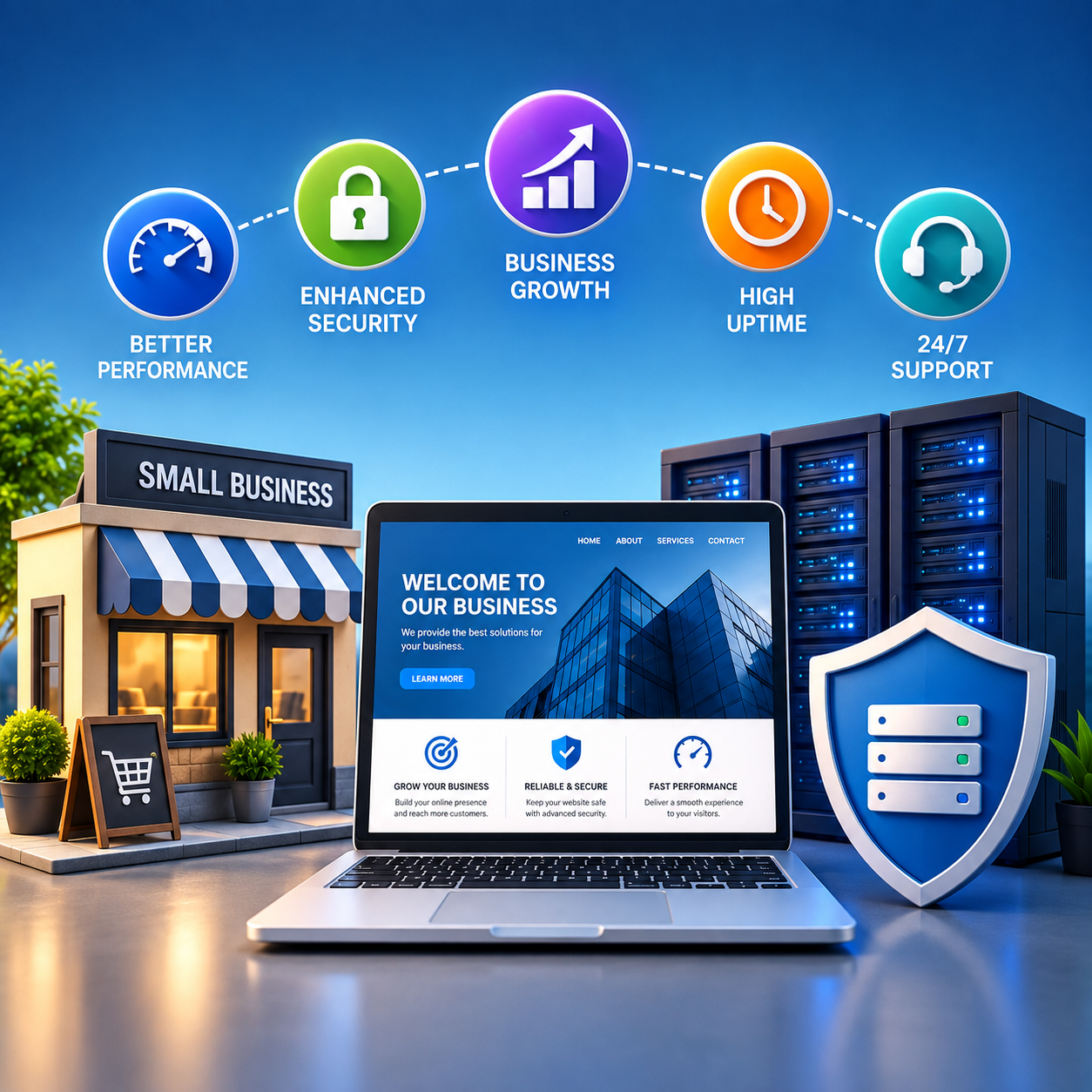
Security is another important factor. Your website may contain business information, customer details, contact forms, and other important data. When comparing the Best WordPress Hosting for Small Business, look for features such as SSL, backups, security protection, and regular monitoring.
You should also think about future growth. Your website may start with only a few visitors, but traffic can increase as your business grows. A good hosting provider should allow you to upgrade when you need more resources. This makes it easier to choose the Best WordPress Hosting for Small Business without having to move your website later.
2. What to Look for in WordPress Hosting
When choosing hosting for your business website, don’t look only at the monthly price. The Best WordPress Hosting for Small Business should provide the right combination of performance, security, support, and resources.
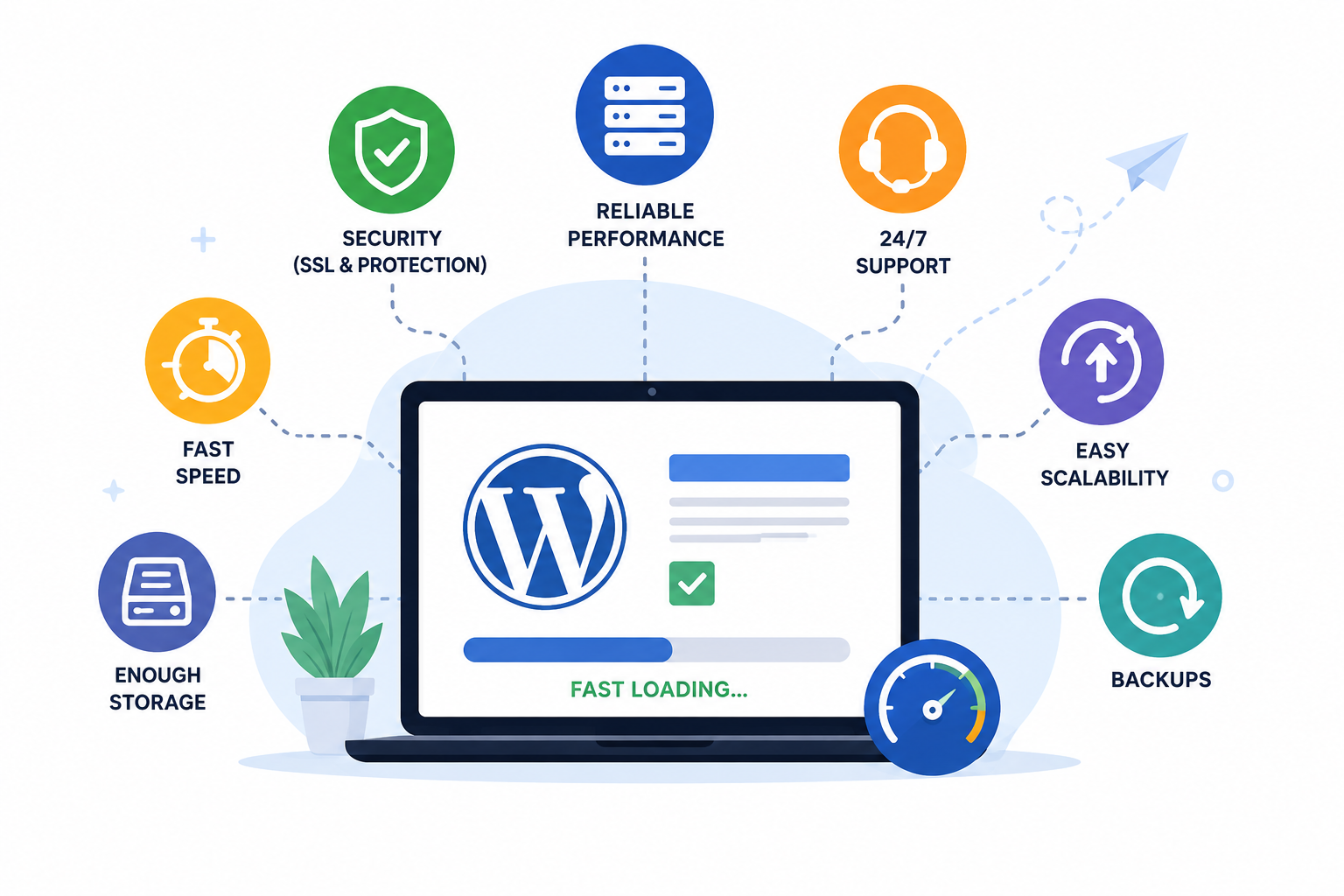
Here are the main features you should check before choosing a hosting plan.
1. Website Speed and Performance
Your hosting should provide enough resources to keep your website loading quickly. A slow website can create a poor experience for visitors and may cause potential customers to leave.
2. SSL Certificate
Make sure your hosting includes an SSL certificate. SSL helps protect information sent between your website and its visitors and gives your website a secure HTTPS connection. Hostinger includes SSL on its hosting plans, so it can be a convenient option if you want to keep your WordPress website secure from the beginning.
3. Storage
Check how much storage the hosting plan provides. A small business website with a few pages may need less storage, while websites with lots of images, products, or files may need more.
4. Backups
Regular backups are important because they give you a way to restore your website if something goes wrong. Before choosing the Best WordPress Hosting for Small Business, check how backups are handled and how often they are created.
5. Security
Look for hosting that provides security features to help protect your website from common online threats. Features such as malware protection, firewalls, and secure server infrastructure can be useful for a business website.
6. Customer Support
If you are not technically experienced, good customer support can save you a lot of time. Choose a hosting provider that offers reliable support when you need help with your website or hosting account.
7. Easy WordPress Management
A beginner-friendly control panel and simple WordPress tools can make managing your website much easier. This is especially useful if you don’t have a developer managing your website.
8. Scalability
Your business website may grow over time. The Best WordPress Hosting for Small Business should allow you to upgrade your hosting plan when your traffic or resource requirements increase.
Finally, don’t forget to check the renewal price and any important plan limitations before purchasing. Looking at the complete package instead of just the introductory price will help you make a smarter hosting decision.
3. How Much Hosting Does a Small Business Need?
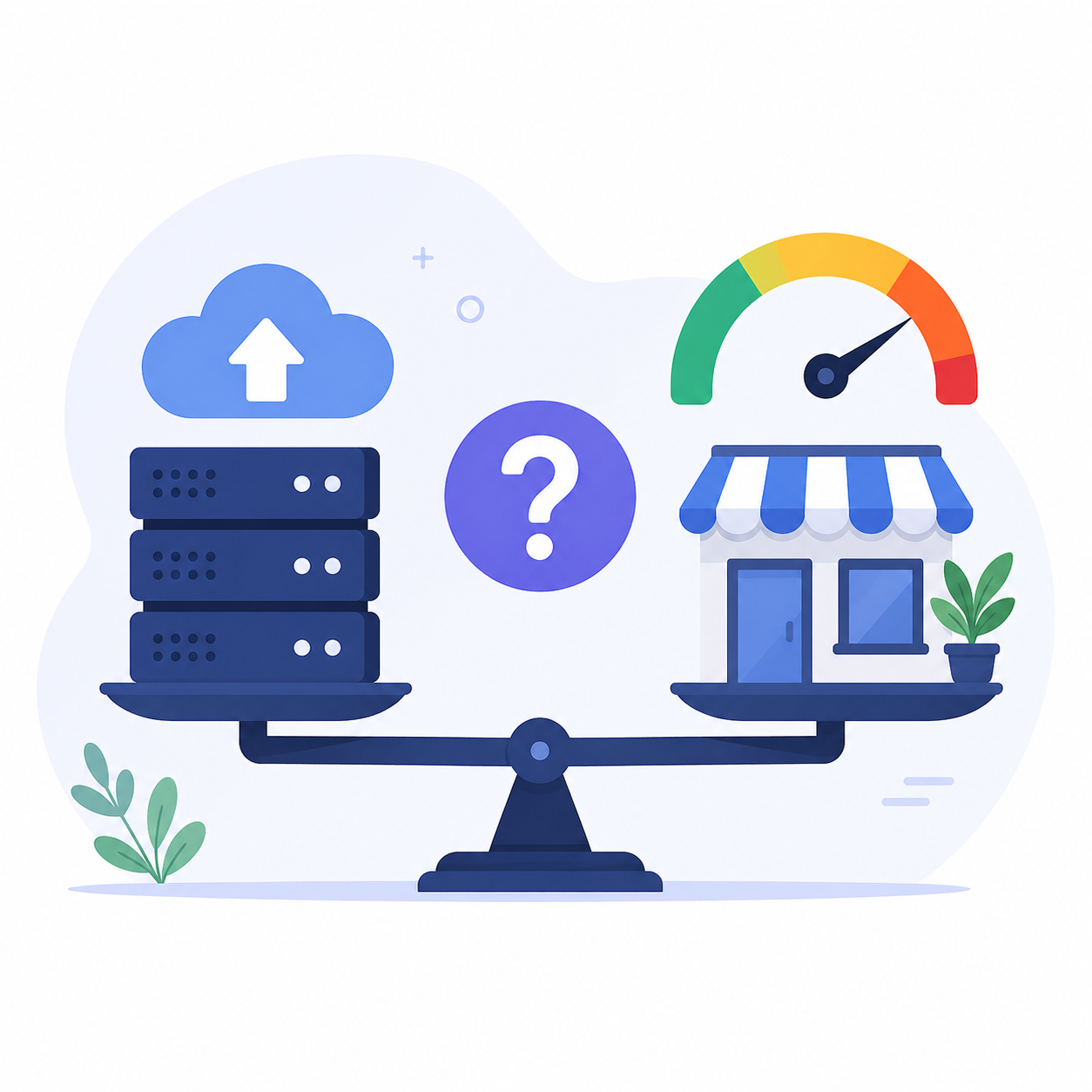
You don’t need a large or expensive hosting plan just because you have a business website. The amount of hosting you need depends on your website size, traffic, number of pages, images, and features.
When choosing the Best WordPress Hosting for Small Business, start with the resources your website actually needs. A simple business website with a few pages will usually need fewer resources than an online store with many products and visitors.
For a Growing Business Website
If your website starts receiving more visitors or you add more images, services, products, or other features, you may need additional resources. In this situation, choose a hosting provider that makes upgrading easy.
What Should You Check?
Before choosing the Best WordPress Hosting for Small Business, check:
- Storage
- Bandwidth or traffic limits
- Number of websites allowed
- SSL certificate
- Backups
- Performance features
- Security
- Customer support
- Upgrade options
You should also compare the price and features of different plans instead of choosing only the cheapest option. You can check my Best Cheap WordPress Hosting Deals guide if you want to compare affordable hosting options.
The Best WordPress Hosting for Small Business is not necessarily the plan with the most resources. It is the plan that gives your website enough resources today while allowing you to upgrade when your business grows.
4. Best Types of Hosting for Small Businesses
Not every small business needs the same type of hosting. The right option depends on your website size, expected traffic, budget, and how quickly you expect your business to grow.
When choosing the Best WordPress Hosting for Small Business, you mainly need to understand the four common types of hosting: Shared Hosting, Managed WordPress Hosting, Cloud Hosting, and VPS Hosting.
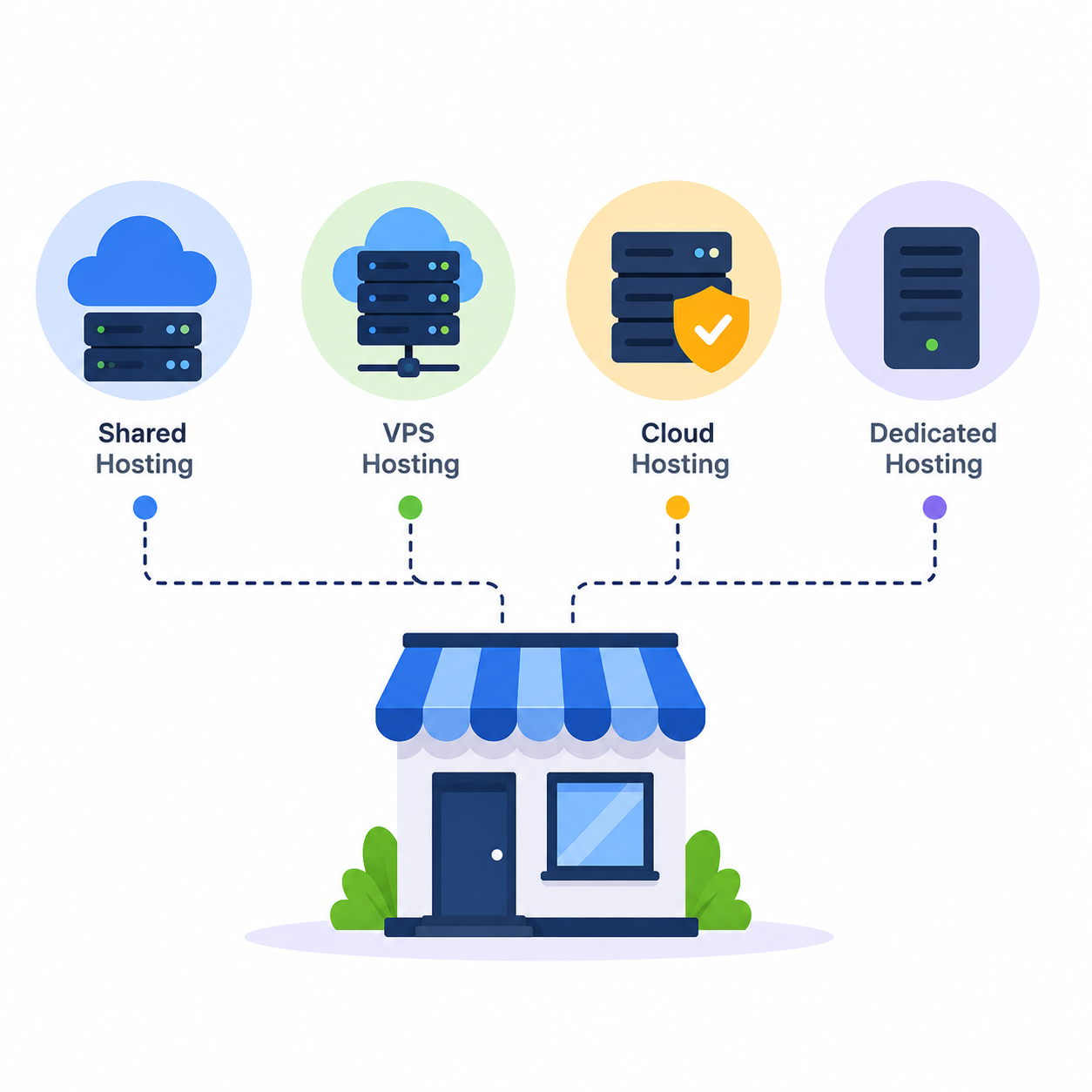
1. Shared Hosting
Shared hosting means that several websites use the same server. The websites share server resources, which helps keep the hosting cost affordable.
For a new small business website with a few pages and a small amount of traffic, shared hosting can be a good starting point.
Hostinger offers shared hosting plans with features such as SSL, WordPress tools, and storage, which can make it a convenient option for beginners.
If you are also comparing affordable hosting options, you can check my Best Cheap WordPress Hosting Deals guide before choosing a plan.
2. Managed WordPress Hosting
Managed WordPress hosting is made specifically for WordPress websites. The hosting provider may take care of certain technical tasks, security features, updates, backups, and performance-related settings.
This can be useful for small business owners who want to focus on their business instead of spending too much time managing technical hosting tasks.
3. Cloud Hosting
Cloud hosting uses multiple servers to provide hosting resources. It can be useful for a business website that is growing and receiving more visitors.
If your website starts getting more traffic or needs additional resources, cloud hosting can provide more flexibility than basic shared hosting.
4. VPS Hosting
VPS stands for Virtual Private Server. It provides more control and dedicated resources compared with shared hosting.
VPS hosting can be useful for larger business websites with higher traffic or specific technical requirements. However, it can be more expensive and may require more technical knowledge.
Which Hosting Type Should a Small Business Choose?
For most new businesses, Shared Hosting or Managed WordPress Hosting is usually enough to get started. You don’t need to pay for expensive hosting if your website is still small.
As your website grows, you can upgrade to Cloud or VPS hosting when you actually need more resources.
The Best WordPress Hosting for Small Business is not necessarily the most expensive option. Choose a plan that fits your current needs, gives you room to grow, and provides the features your business website actually requires.
If you’re new to WordPress itself, you can also follow my How to Install WordPress Step by Step guide after choosing your hosting.
5. Best WordPress Hosting Features for Small Businesses
When choosing the Best WordPress Hosting for Small Business, don’t look at the price alone. A good hosting plan should provide the features you need to keep your website fast, secure, and easy to manage.
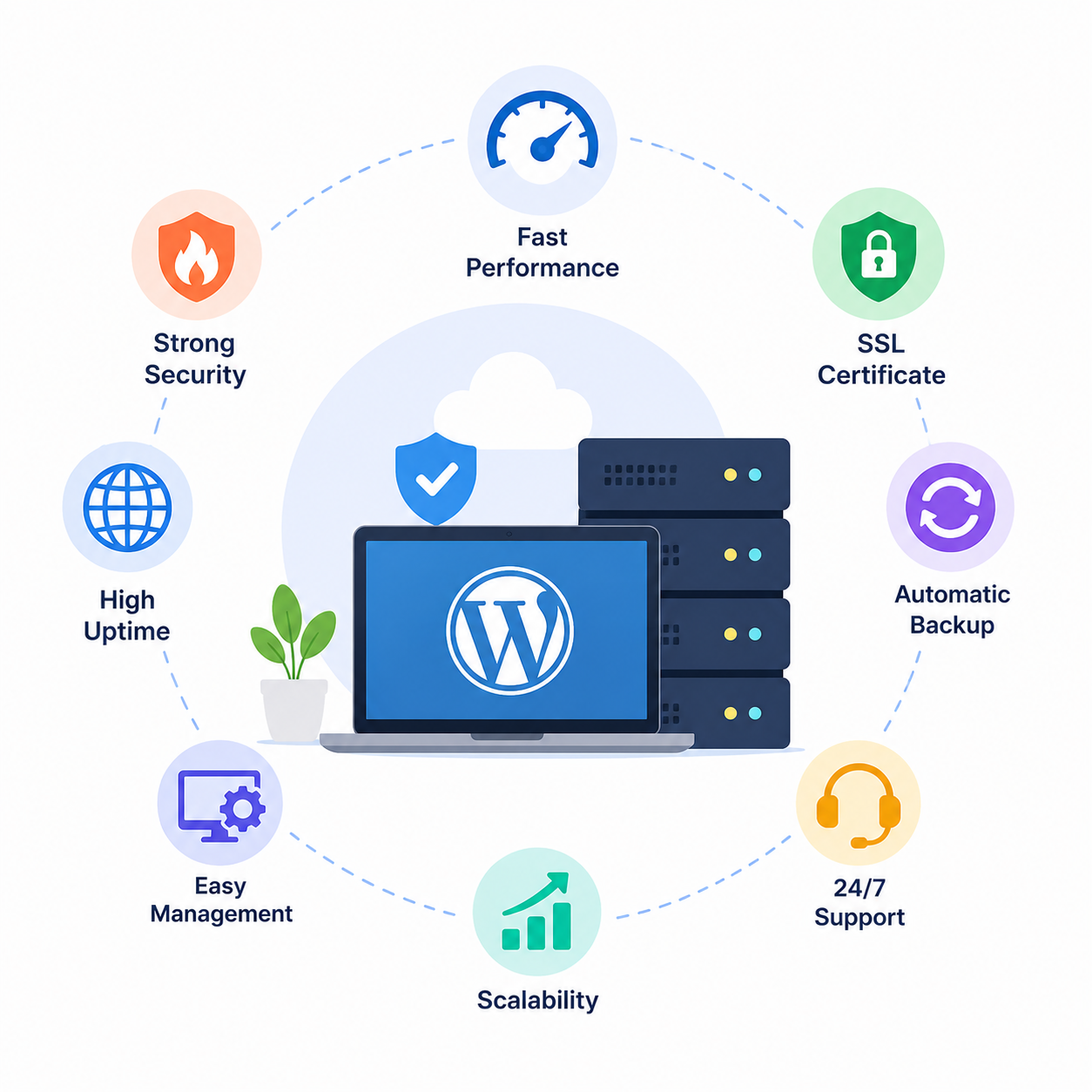
Here are the most important features to check:
1. Good Website Performance
Your business website should load quickly because visitors don’t want to wait for slow pages. Look for hosting that provides good server performance and enough resources for your website.
2. Free SSL Certificate
SSL keeps the connection between your website and visitors secure and gives your website the HTTPS connection. Hostinger includes SSL with its hosting plans, which can be useful when setting up a new business website.
3. Enough Storage
Check how much storage is included with your plan. A simple business website may not need a lot of storage, but websites with many images, products, or files may need more.
4. Regular Backups
Backups are important because they give you a way to restore your website if something goes wrong. Before buying hosting, check how often backups are created and how they can be restored.
5. Security Features
Your hosting should provide basic security features to help protect your website from common online threats. Look for features such as malware protection, firewalls, and secure server infrastructure.
6. Easy WordPress Management
If you’re a beginner, managing your hosting shouldn’t feel complicated. A simple control panel and easy WordPress tools can save you time.
If you haven’t installed WordPress yet, you can follow my How to Install WordPress Step by Step guide to set up your website.
Good customer support can be very helpful when you face a technical problem. Choose a hosting provider that makes it easy to get help when you need it.
8. Upgrade Options
Your business website may grow over time. Make sure your hosting provider allows you to upgrade your plan when you need more storage, performance, or other resources.
9. Free Domain Option
If you are starting a new business website, a free domain for the first year can help reduce your initial cost. If you want to learn more about this, check my How to Get a Free Domain for 1 Year with Hostinger guide.
Overall, the Best WordPress Hosting for Small Business should give you the right combination of performance, security, support, and resources without making you pay for features you don’t need.
6. Best WordPress Hosting for Small Business – Hostinger
If you are looking for the best WordPress hosting for small businesses, Hostinger is an excellent platform—especially if you want an easy setup and a hosting experience that is beginner-friendly.
Hostinger offers WordPress hosting plans that include features like SSL, WordPress tools, storage, backups, security features, and customer support. These features are highly beneficial for small business websites that want to get up and running without dealing with complex hosting configurations.
One thing I really like about Hostinger is that you can start with the right plan and upgrade as your business grows. This means you don’t have to spend money on expensive plans while your website is still small.
👉 Get started with Hostinger for your business website
If you are comparing affordable hosting options before making a decision, you can also read my guide on the best cheap WordPress hosting deals.
Another advantage for new business websites is that select Hostinger plans come with a free domain offer. If you want to understand how the free domain option works, check out my guide on how to get a free domain for 1 year with Hostinger.
Why choose Hostinger for small businesses?
- Easy WordPress setup for beginners
- SSL included with select hosting plans
- User-friendly hosting control panel
- Performance-focused hosting features
- Customer support
- Options to upgrade as your website grows
- Free domain with select plans
Overall, if you are launching a small business website and want hassle-free, easy WordPress hosting, Hostinger is a great choice. However, before purchasing, always check the features, pricing, renewal costs, and terms of the current plans.
7. Why Hostinger Is Best for Small Business Websites
Hostinger can be a good choice for small businesses because it keeps website hosting relatively simple, even if you are new to WordPress. You don’t need to be a technical expert to set up your website, manage your hosting, or make basic changes.
One of the biggest advantages is that you can start with a plan that matches your current needs and upgrade later as your business grows. This is helpful for a new business because you don’t have to spend a lot on hosting before your website starts getting regular visitors.
Hostinger also provides useful features such as SSL, WordPress tools, backups on eligible plans, security features, and customer support. These are the kinds of things you want when running a business website because you can focus more on your customers and business instead of constantly worrying about technical hosting issues.
Another reason many beginners consider Hostinger is its easy-to-use hosting interface. Managing your domain, hosting, WordPress installation, email, and other website settings from one place can make the whole process much easier.
If you’re starting a new website, you can also check my How to Install WordPress Step by Step] guide to see how WordPress can be installed and set up.
For businesses looking to keep their initial costs lower, Hostinger also offers a free domain for one year on eligible plans. I have explained this in more detail in my How to Get a Free Domain for 1 Year with Hostinger] guide.
👉 Check Hostinger Plans for Your Small Business
Overall, Hostinger can be a practical option if you want affordable, beginner-friendly WordPress hosting with room to grow. Of course, before purchasing, check the current plan features, introductory pricing, renewal price, and terms so you can choose the plan that actually fits your business.
8. Hostinger Plans for Small Business Websites
Hostinger offers different hosting plans, so you don’t necessarily need to choose the most expensive one for your small business website. The right plan depends on your website size, traffic, storage needs, and future growth.
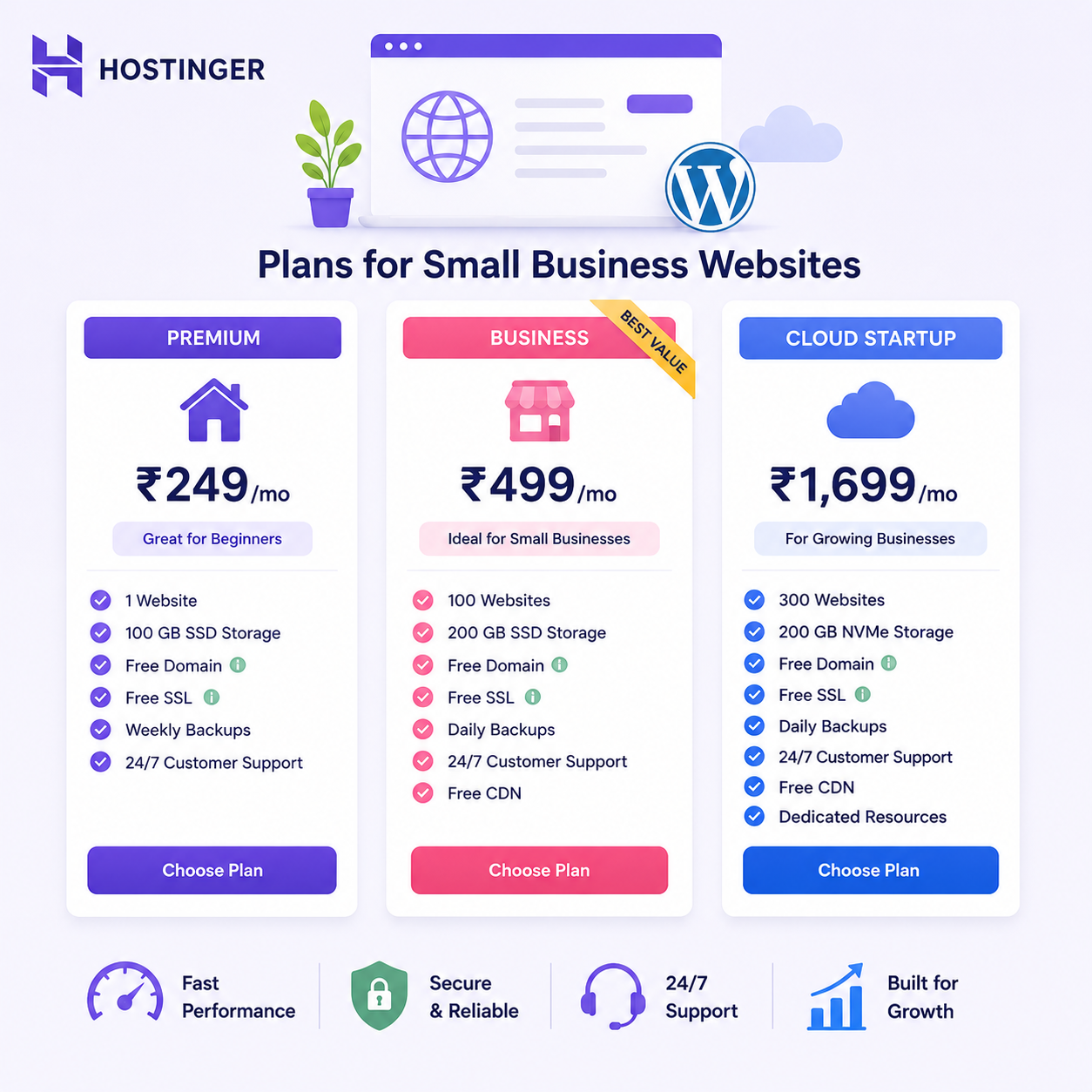
1. Premium Plan
The Premium plan can be a suitable starting point for a new small business website. It can work well for a basic business website with pages such as Home, About, Services, Contact, and Blog.
2. Business Plan
If your website needs more resources and better performance, the Business plan can be a better option. It may be useful for a growing business website with more visitors, images, content, or features.
3. Cloud Startup
For a business website expecting higher traffic or needing more resources, Cloud Startup can be considered. Cloud hosting provides more resources and flexibility compared with basic hosting plans.
👉 Check Hostinger Cloud Startup Plan
If you’re still comparing prices before choosing a plan, you can also check my Best Cheap WordPress Hosting Deals guide.
If you’re starting a new website and need a domain, you can also read my How to Get a Free Domain for 1 Year with Hostinger guide.
Before purchasing, always check the current pricing, renewal price, storage, website limits, and included features, as Hostinger’s plans and offers can change over time.
9. How to Choose the Right Hostinger Plan
Choosing the right Hostinger plan depends on your website’s size, traffic, budget, and the features your business needs. You don’t need to buy the most expensive plan if your website is just starting.
Choose Premium If You’re Just Starting
If you are creating a simple small business website with a few pages and a limited number of visitors, the Premium plan can be a good starting point.
It can be suitable for websites that mainly provide information about your business, services, contact details, and basic content.
Choose Business If Your Website Is Growing
If your website is getting more visitors or you need more resources for images, content, and other features, the Business plan may be a better choice.
This can be useful when your business website is becoming more active and you want better resources without moving to a much more advanced hosting setup.
Choose Cloud Startup for Higher Requirements
If your business website expects higher traffic or needs more resources, Cloud Startup can be considered. It provides more resources and flexibility than basic hosting options.
Consider Your Budget
Don’t choose a hosting plan based only on the starting price. Check the current price, renewal cost, included features, storage, and website limits before purchasing.
If you want to compare affordable hosting options first, you can read my Best Cheap WordPress Hosting Deals guide.
If you’re also starting a new website and need a domain, my guide on How to Get a Free Domain for 1 Year with Hostinger can help you understand the available domain option.
The best approach is to start with a plan that meets your current needs and upgrade later when your business website actually requires more resources.
10. Free vs Paid WordPress Hosting
When starting a small business website, you may wonder whether you should use free hosting or pay for a hosting plan. While free hosting can seem attractive at first, it usually comes with limitations that may not be suitable for a professional business website.
Free WordPress Hosting
Free hosting can be useful if you simply want to experiment with WordPress or learn how websites work. However, free plans may have limited storage, fewer features, slower performance, limited support, or restrictions on how you can use your website.
For a business website, these limitations can become a problem as your website grows.
Paid WordPress Hosting
Paid hosting usually gives you more resources and useful features such as better performance, SSL, backups, security options, customer support, and upgrade choices.
For a small business, paying for reliable hosting can be a worthwhile investment because your website represents your business online.
If you want to compare affordable paid hosting options, you can read my Best Cheap WordPress Hosting Deals guide.
You can also check my How to Get a Free Domain for 1 Year with Hostinger guide if you’re looking for a way to reduce the initial cost of setting up your website.
Which One Should a Small Business Choose?
For a professional business website, I would recommend choosing paid WordPress hosting instead of relying on free hosting. You get more control, better resources, and support when you need it.
👉 Check Hostinger Hosting Plans
Free hosting can be fine for learning and testing, but if you want to build a serious business website, reliable paid hosting is generally the better long-term choice.
11.Common Hosting Mistakes Small Businesses Should Avoid
Choosing a hosting service for your business website shouldn’t be difficult, but there are some common mistakes you should avoid. Making the right choice from the start can save you money and prevent unnecessary hassles down the line.
1. Choosing hosting solely because it is cheap
The cheapest plan isn’t always the best option. Before purchasing, check the plan’s storage, performance, security, backup, support, and other included features.
If you are comparing budget-friendly options, you might want to read my Best Cheap WordPress Hosting Deals guide before making a decision.
2. Purchasing more resources than necessary
If your website is currently small, you don’t need an expensive hosting plan. Start with a plan that suits your current needs and upgrade only when your website actually requires more resources.
3. Ignoring renewal prices
Many hosting providers offer attractive introductory prices, but renewal rates can be significantly higher. Always check both the initial price and the renewal cost before buying.
4. Forgetting about backups
Don’t assume your website will always function perfectly. If something goes wrong, regular backups can help you restore your site.
5. Neglecting security
A business website should have basic security features like SSL and protection against common threats. Do not choose a hosting plan without verifying its security features.
6. Choosing overly complex hosting plans
If you are a beginner, a hosting plan with a complicated setup can make managing your website difficult and frustrating. Opt for a plan that offers a user-friendly control panel and simple WordPress management tools. For example, Hostinger.
7. Not planning for growth
Your business website might start small, but it could grow over time. Choose a hosting provider that allows you to upgrade your plan if you need more resources.
👉 Check out Hostinger’s hosting plans
If you are building a new website and also need a domain, you can learn about the available domain options in my guide: How to get a free domain for 1 year with Hostinger.
By avoiding these common mistakes, it becomes easier to choose the best WordPress hosting for small businesses and build a reliable website without spending money on things you don’t actually need.
12. How to Upgrade Your Hosting as Your Business Grows
Your business website might have low traffic initially, but as your business expands, you may require more hosting resources. An increase in visitors, images, products, and website features can create a need for more storage and server resources.
The best WordPress hosting for small businesses is one that makes it easy to upgrade your plan as your website grows.
When Should You Upgrade Your Hosting?
You might consider upgrading in the following situations:
- Your website starts loading slowly
- You consistently receive a higher volume of visitors
- Your website requires more storage
- You add more products or large images
- Your current plan reaches its resource limits
- You frequently encounter performance-related issues
You don’t need to upgrade simply because your business is growing; upgrade only when your website genuinely requires more resources.
Start Small and Upgrade Later
If you are launching a new business website, you can begin with a plan that meets your current needs. As your traffic and resource requirements increase, you can switch to a higher-tier plan rather than paying for excess resources from the start.
For example, you could start with a Premium plan and later upgrade to a Business or Cloud plan when your website demands more resources.
If you are still deciding which affordable plan to start with, you can check out my guide on the best affordable WordPress hosting deals.
Upgrade Your Hostinger Plan
If you choose Hostinger, you can easily upgrade your hosting plan as your website grows. This is beneficial because you don’t need to move your entire website to another hosting provider simply because you require more resources.
👉 Check out or upgrade Hostinger plans
If you are building a new website and also need a domain, you can learn about the available options through my guide: How to get a free domain for 1 year with Hostinger.
The bottom line is simple: Start with what you need today and upgrade only when your business actually requires more resources. This approach helps you manage hosting costs while ensuring your website is ready for future growth.
13. Frequently Asked Questions
1. What is the best WordPress hosting for small businesses?
The best WordPress hosting for small businesses depends on your website’s size, traffic, budget, and required features. For many new businesses, a reliable and beginner-friendly hosting plan is sufficient to get started.
2. Is Hostinger good for small business websites?
Yes, Hostinger can be a great choice for small businesses, especially if you are looking for easy WordPress setup, SSL, performance features, customer support, and the flexibility to upgrade as your website grows.
3. How much does WordPress hosting cost for small businesses?
The cost depends on the hosting provider and plan you choose. A new small business can usually start with an affordable plan and upgrade later if more resources are needed.
You can also compare affordable options in my Cheapest WordPress Hosting Deals guide.
4. Do I need expensive hosting for my small business?
No. If your website is new and doesn’t receive high traffic, you generally don’t need an expensive plan. Start with a plan that meets your current needs and upgrade when necessary.
5. Can I upgrade my hosting plan later?
Yes. Most reputable hosting providers allow you to upgrade when your website requires more storage, performance, or other resources. This means you can start small and scale up your resources as your business grows.
6. Do I need a domain and hosting for my business website?
Yes. Your domain is your website’s address, whereas hosting provides the server space where your website is stored.
If you want to know how to get a free domain, you can read my guide: How to get a free domain for 1 year with Hostinger.
If you want to purchase good hosting, click here Choose the best hosting plan.
7. Is free hosting good for small businesses?
Free hosting can be useful for testing or learning purposes, but for a professional business website, paid hosting is generally the better option because it offers more resources, features, support, and control.
8. What features should I look for in business hosting?
Look for good performance, SSL, security, backups, ample storage, reliable customer support, easy WordPress management, and upgrade options.
Carefully selecting these features will help you find the best WordPress hosting for small businesses without paying for resources you don’t actually need.
14. Final Verdict
Choosing the Best WordPress Hosting for Small Business doesn’t mean choosing the most expensive hosting plan. The right choice is the one that gives your website enough performance, security, storage, support, and flexibility for your current needs.
If you’re just starting a small business website, you can begin with an affordable hosting plan and upgrade later as your traffic and business grow. This can help you avoid spending money on resources you don’t need right now.
Hostinger can be a good option for small businesses because it offers beginner-friendly WordPress hosting, SSL, performance features, customer support, and upgrade options. Eligible plans may also include a free domain for the first year.
👉 Check Hostinger Hosting Plans
If you’re still comparing affordable hosting options, you can also read my Best Cheap WordPress Hosting Deals guide before making your final decision.
And if you’re setting up your business website and need a domain, my How to Get a Free Domain for 1 Year with Hostinger guide can help you understand the domain option.
Overall, focus on what your business website needs today, but make sure your hosting provider gives you room to grow tomorrow. The best hosting plan is not always the biggest one—it’s the one that fits your website, budget, and business goals.